STAHLS' Fulfill Engine uses TaxJar to automate the entire sales tax life cycle allowing robust and detailed sales tax management tools for your white-label store and order portal transactions.
You are able to collect and remit sales tax in your nexus states with greater confidence. This is a feature is included with your Seller Pro or Decorator Pro account, at no additional cost to you.
Our data provides more robust sales tax capabilities including:
-
TaxJar-powered sales tax calculations and collection on transactions in Fulfill Engine white-label stores and order portal.
-
Sales tax calculations and reporting at the state, county, city, and special district levels.
-
Order item-level sales tax exemptions, informed by tax codes assigned to Fulfill Engine catalog products (e.g., Apparel > T-shirts is assigned a 'Clothing' tax code).
-
Sales tax reporting at the summary, order, and item levels.
- This itemized report is available in formats compatible for upload into your own TaxJar or Avalara account and can be configured to include taxable sales only or all sales to better monitor the need for Nexus filing.
- Additionally, we offer a generic report for accounting reconciliation that also allows you to report by fulfilled date.
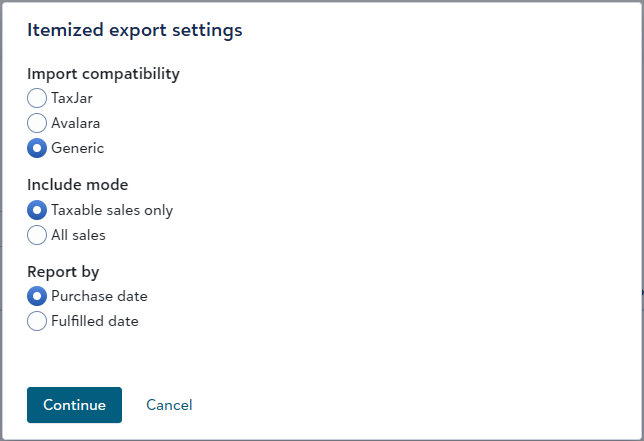
Note: The TaxJar and Avalara exports are very specific to those systems so information may be presented differently than within Fulfill Engine. Because of this, we highly recommend that you use the generic version of the report for accounting reconciliation purposes.
Access more information in order and order item exports
We've added a few new columns to order and order item export files, for improved visibility and management of your orders:
-
Source column in the sales exports for orders and order items.
-
Store product categories column in the order items export.
-
Image customization artwork details in the Order items with decoration details export.
How to Enable TaxJar
To begin collecting sales tax using TaxJar, you must enable tax collection for the states in which you have nexus.
Steps to Enable TaxJar:
- Navigate to Configuration
- Select Sales Tax Configuration
- Add the states where you are required to collect sales tax
Once states are added, TaxJar will automatically calculate and collect sales tax for transactions associated with those states.
✅ No additional setup or integrations are required.
View more details on account price sheet
For accounts configured to view their price sheet, users can view all relevant account cost details with the exception of markup percentages on shipping and all-in pricing products. With this improved view, account admins can better understand their overall costs and price their store products more effectively.
Sales Tax Exemption for Network Orders + Software Fees
We collect sales tax in every state where STAHLS' Fulfill Engine is registered to do business. We'll make use of our integration with TaxJar to determine the appropriate taxes according to product and service tax codes against the relevant state and local tax laws.
Fulfill Engine will also accept reseller exemption certificates via OneSource and will take those into account where applicable. Information on submitting your exemption certificates is detailed below.
How and where will sales tax be charged?
Tax collection on your behalf will not be changed. This means we will continue to collect taxes in the white label stores and order portal as we have been since rolling out the TaxJar integration earlier this year.
> Network orders
For any network orders in which taxes are not already recorded within Fulfill Engine for the order, taxes will be assessed against the platform invoice including order items, shipping, handling, and software fees. These will reference the customer ship-to address. These taxes are eligible for exemption when a valid reseller exemption certificate is uploaded.
Orders that may fall into this scenario include the following:
- Orders for states in which you do not have registered nexus, but Fulfill Engine does
- Integrated or API orders in which payment is taken outside of Fulfill Engine
> In-house orders
For in-house orders, taxes will be assessed against the software fees. These taxes are not eligible for exemption.
Registering exemption certificates
To get started on the Sales tax exemptions page, you will complete and submit a form to confirm your business and contact information. After submitting the form, you will receive an email from CertificateManager@thomsonreuters.com with a link to upload your certificates via OneSource.
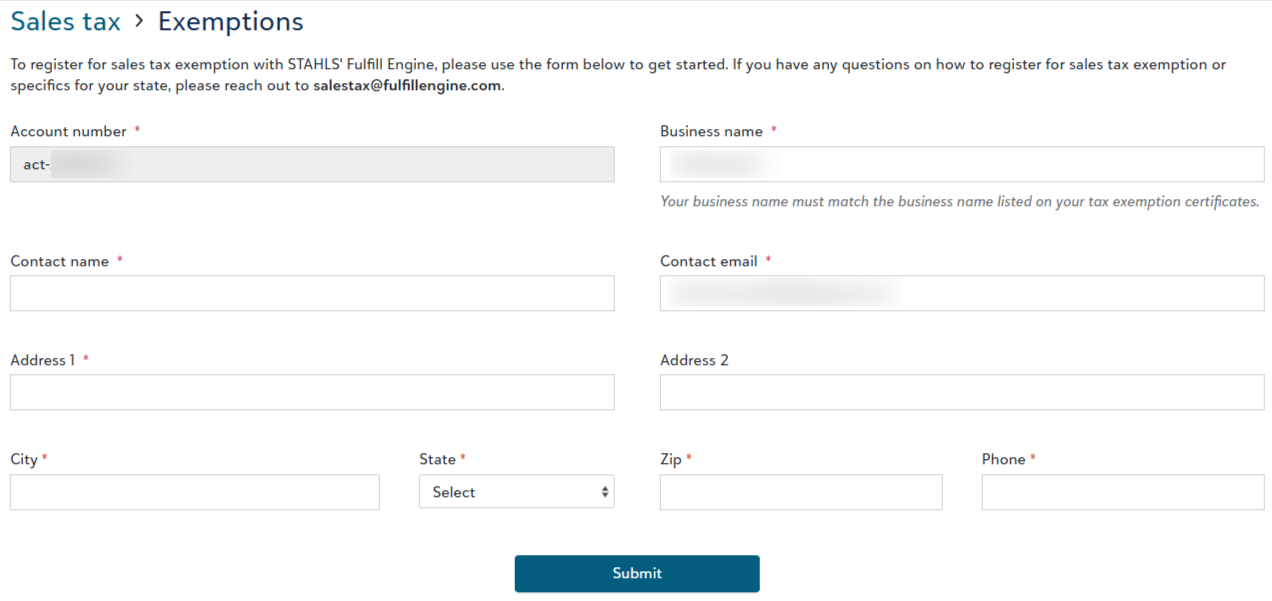
All submitted exemption certificates are subject to review and approval based on state and local laws. When your certificate has been approved, you will see the certificate listed on your Sales tax exemptions page.

Please note, STAHLS’ Fulfill Engine does not provide legal, tax or accounting advice. If required, please consult with a tax advisor.