Stripe is the platform Fulfill Engine uses to process customer payments submitted through the FE Sales Portal.
If you do not have a Stripe account already, you will need to register for one here, prior to utilizing the FE Sales Portal features.
Once you have created an account. You will follow the directions on the Stripe API page to access your API keys.
You are able to set up your Stripe at the top of your account under Configuration > Stripe.
Once you have selected the Stripe tile, you will input you will be prompted to provide the following.
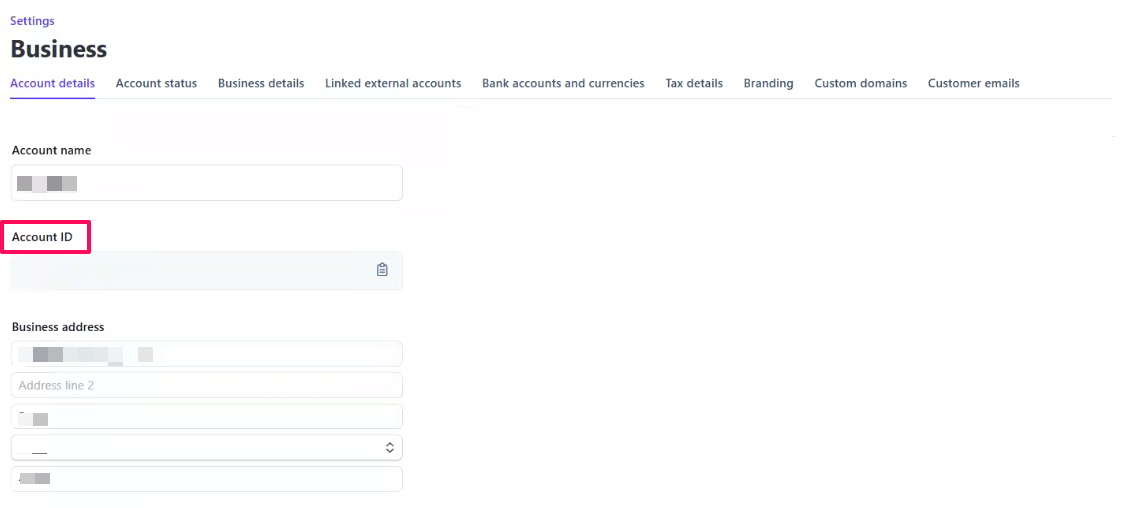
1. Stripe Account ID
- Can be located here
2. Prod API keys
- pk_live_*************
- sk_live_*************
3. Test API keys
- pk_test_*************
- sk_test_*************
Accessing your API Keys
Prod API Keys
This is on your homepage when you log into Stipe, on the right hand side under For developers. 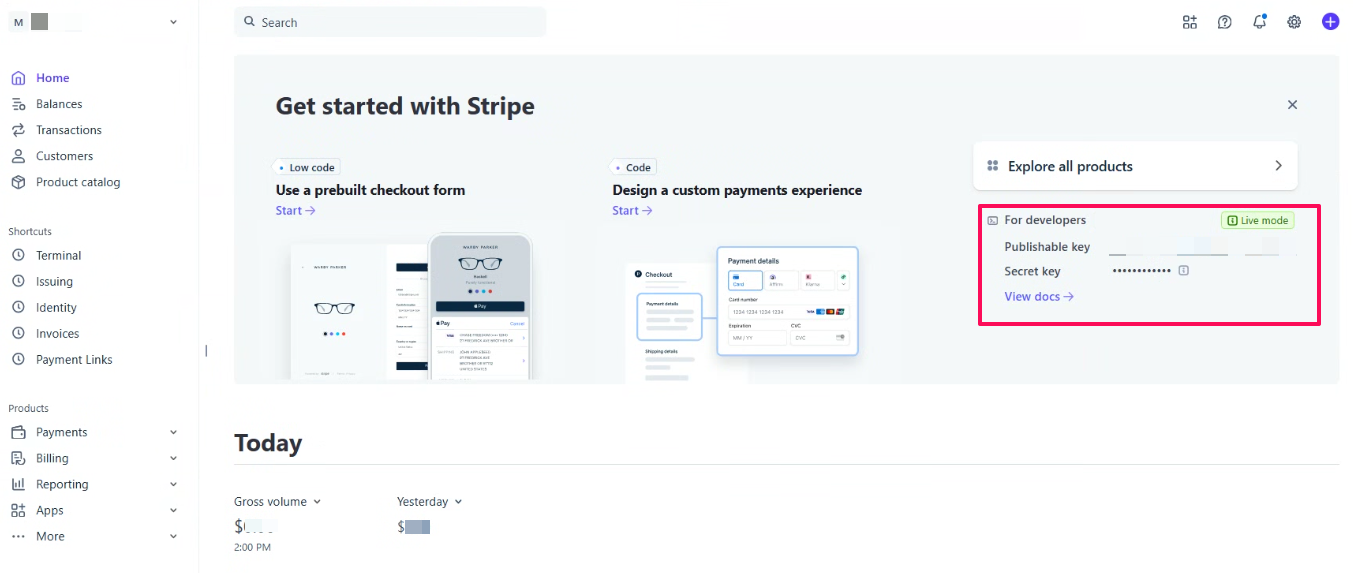
Test API Keys
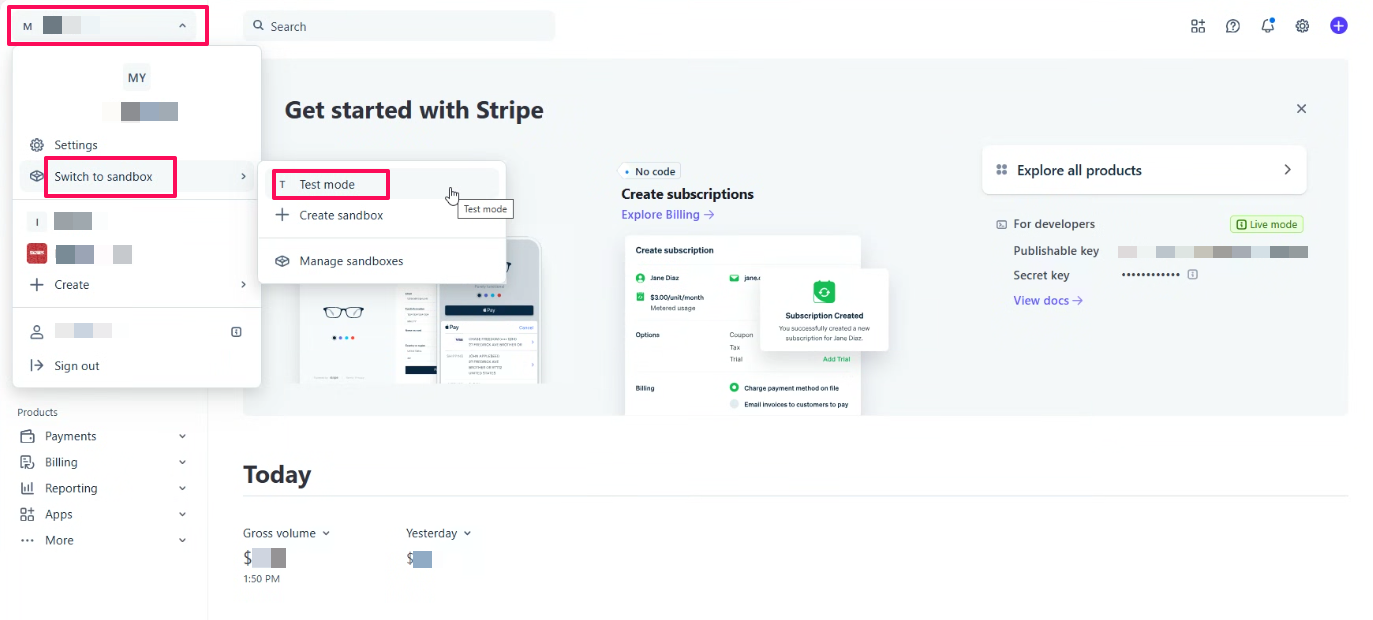
Within your Stripe account, you will select the account dropdown on the top left, then Switch to Sandbox then Test Mode. The Test keys will be located on the right hand side.