Connecting to a STAHLS' account for transfer purchasing is a feature supported for Decorator Pro producing volume in-house.
Fulfill Engine has established an integration with STAHLS' to streamline the DTF process! As an industry leader, STAHLS' brings a superior level of quality and expertise to their transfers.
The current integration only supports UltraColor Max™ DTF transfers. If you produce film in house, or looking to source another type of transfer, contact your Fulfill Engine onboarding representative for assistance.
Access the API within your STAHLS' account under your settings > STAHLS' API.
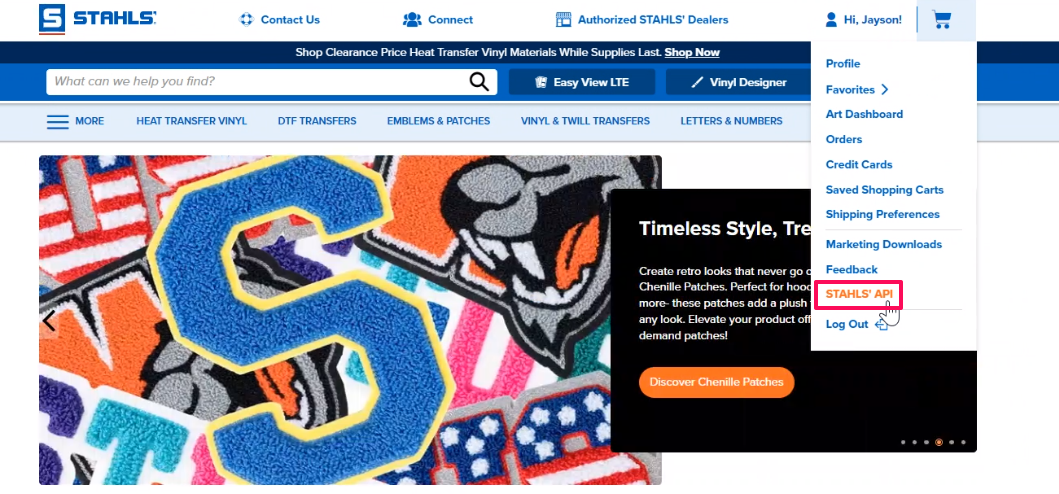
Setting up an API Payment Method
This is a required step and will need to be done for orders to be automatically submitted. Failure to do so will result in transfer orders being blocked. You are able to add a credit card or Net Terms. If you are interested in terms, and not already setup, contact your STAHLS’ Sales Rep for assistance.
Configuring a payment method in the Credit Cards section of the account does not impact API setup.
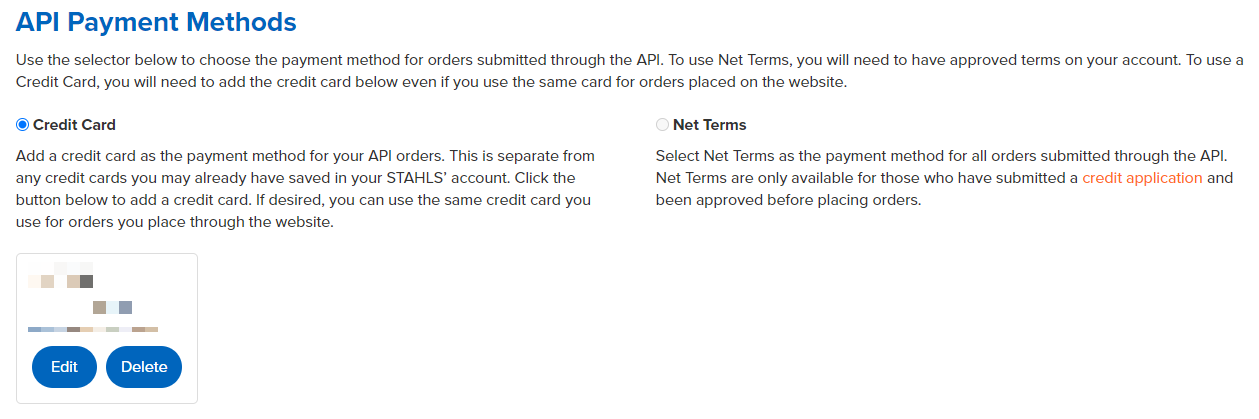
When you select your API payment method, either Credit Card or Net Terms under API Payment Method, it must be configured under the STAHLS' API section of your account.
Generate API Tokens
Under settings you will need to first review the STAHLS' policies before being able to generate your Live and Test tokens.
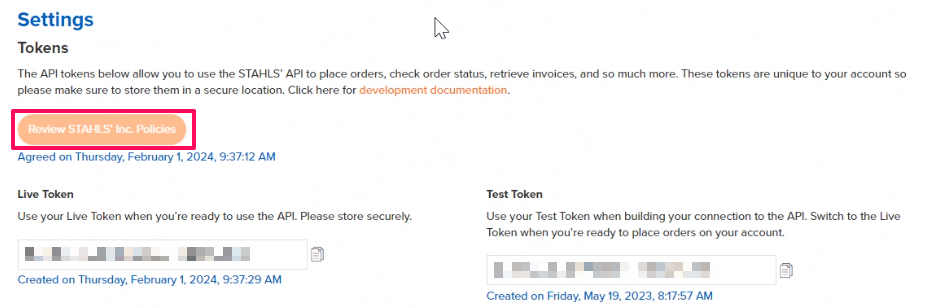
Once you have your API token, you will go into Configuration located on the right hand side of your Fulfill Engine Sales Portal and select the STAHLS' tile to input the information.
Receiving Transfers
The charge for the transfer will be managed through your STAHLS' account instead of Fulfill Engine.
When a DTF order is placed through your Sales Portal, the transfers will be ordered through a similar process as on-demand garments from the suppliers.
The transfer will then arrive with an identifying number, including the batch number, to easily match to the garment!
Review STAHLS' API Documentation Here.