ShipEngine is a feature supported for Decorator Pro producing volume in house.
ShipEngine is becoming ShipStation API. If you already have a ShipEngine account, you may integrate your Fulfill Engine account with those credentials. Our integration does not support ShipStation V1.
When a ShipEngine account is set up, any self-generated production volume will automatically utilize your carrier accounts.
Any volume that is pushed to you from within the FE Network, will ship on Fulfill Engine's carrier accounts. This would be any orders that were generated from outside your sales team.
ShipEngine is the platform Fulfill Engine uses to access your carrier accounts. Once your carrier accounts are connected within ShipEngine, Fulfill Engine will have access to generate labels.
ShipEngine does charge a minimal fee for the use of their software. The Fulfill Engine integration only utilizes their Label Generation services. This means each shipment will carry between a 2.5¢ and 2.1¢ charge depending on your account's volume.
If you do not already have a ShipEngine account, you will need to create one here.
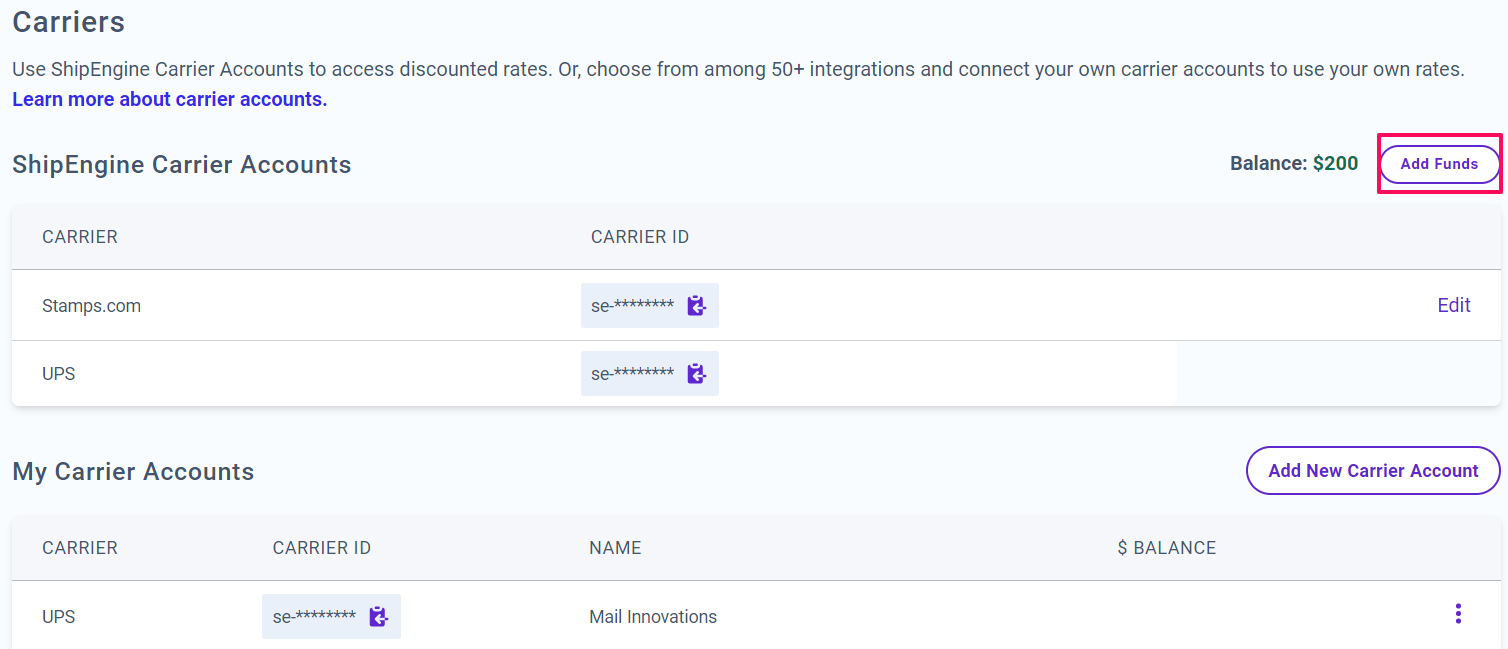
When you create an account with ShipEngine, you will automatically be set up with a UPS and a USPS/Stamps.com carrier account. However, you do have the option to register others by putting in the account information you have with those carriers.
Before connecting your ShipEngine account to your Fulfill Engine Sales Portal, you will first need to Add Funds to provide funding for labels.
From here, you are able to setup a one-time transfer or auto-funding.
Once you have established your ShipEngine account, you are able to connect it to your account under Configuration on your Sales Portal.
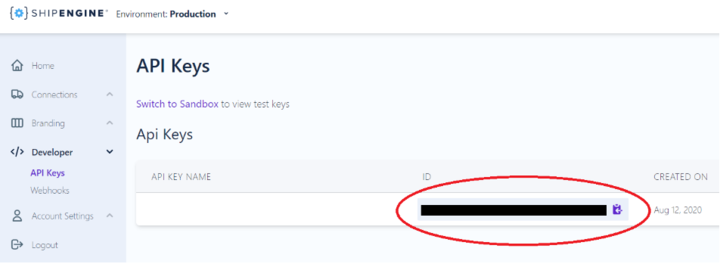
Once you have selected the ShipEngine tile, you will input you will be prompted to provide your API key.
The ShipEngine API key can be found here.