This article is specific to STAHLS' Fulfill Engine Seller Essentials accounts.
You are able to pull reporting and generate statements from a store level. Within the store, under View orders, you will see the options to;
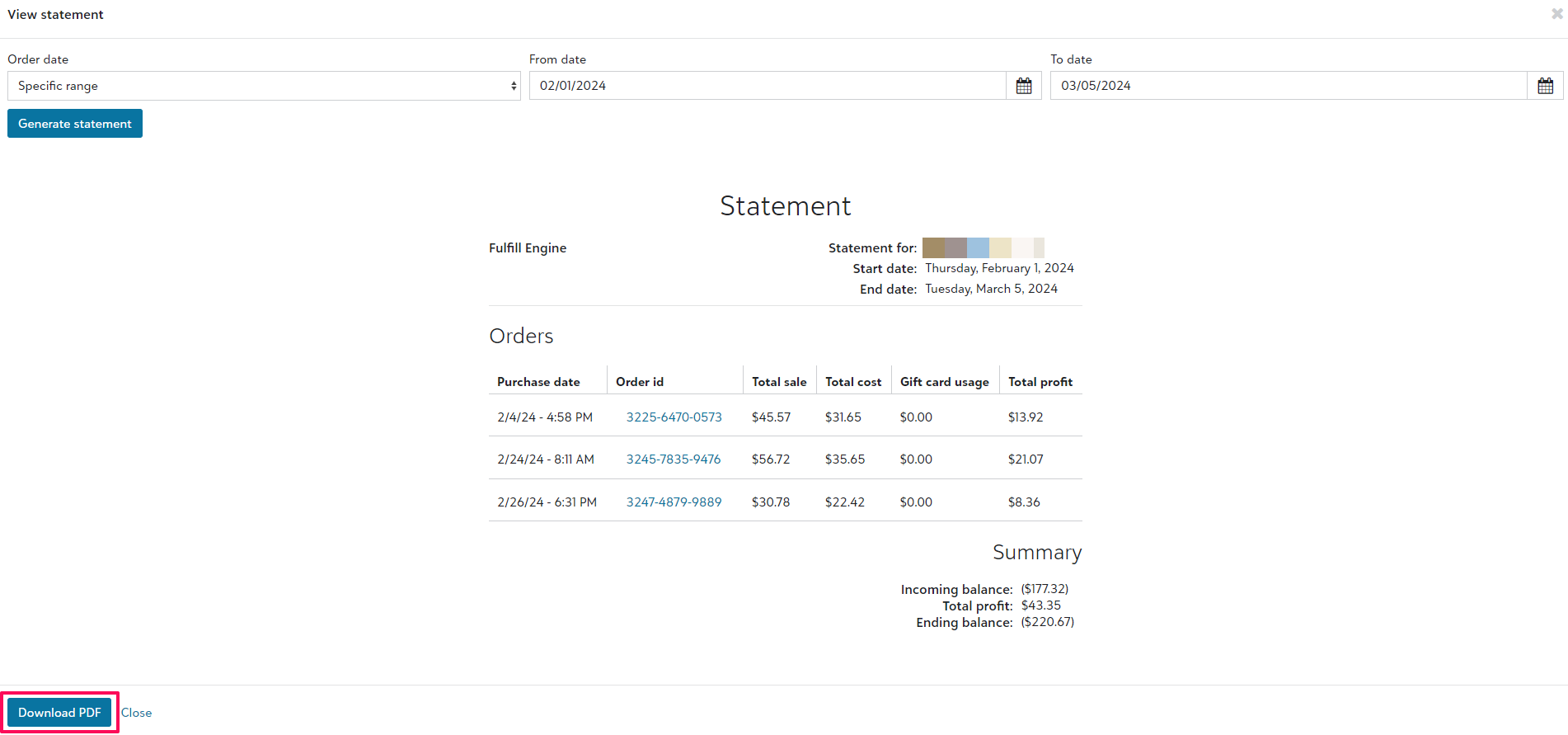
- Download statement
- This is used for billing purposes and will provide a downloadable PDF view of all orders and their cost, charge, profit and gift card payment (if applicable) within a specific timeframe.
- Export orders
- This provides a CSV view of a breakdown of selected orders.
- Export gift and discount usage
- This provides a CSV view of a breakdown of gift card and/or discount use. Showing the order, amount used, and customer.
- Export order items
- Similar to Export orders, this view breakdown on an item level vs order level.

TIP: Filter your view before exporting a report for a focused view.
Reading Reports
Let's walk through what is provided within the reporting.
- AccountInvoice_Total
The total cost of the order to you - AccountInvoice_Materials
Cost of blank(s) - AccountInvoice_Decoration
Cost of decoration - AccountInvoice_ItemTotal
Combined cost of blank(s) and decoration - AccountInvoice_PickAndPack
Cost of Pick and Pack services (if applicable) - AccountInvoice_Shipping
Cost of shipping - AccountInvoice_StoreFee
Fulfill Engine 2% cost to operate the store - AccountInvoice_TotalOwedFromAccount
The total cost from the order you owe to Fulfill Engine - AccountInvoice_TotalOwedToAccount
The total cost from the order that Fulfill Engine owes you (your profit) - CustomerPayment_Total
The total cost of the order paid by the end customer - CustomerPayment_Taxes
Cost of taxes collected (if applicable) - CustomerPayment_GiftCardAmount
The total cost of what was paid by the end customer using a gift card or discount code (if applicable) - CustomerPayment_GiftID
An internal gift ID used on the order
Generating Statements
When downloading a statement, you will be prompted to select a date range at which point a detailed view will show for all shipped orders within that timeframe and correlating costs.
Once generated, select to download a PDF view to send to your customer, or keep for your records.