Your Sales Portal Dashboard will act as your landing page for Sales. This is where you will be able to create and manage your customers stores!
If you are a Decorator Pro, you are able to easily toggle between the Sales Portal and Fulfillment Dashboards.
You will select Fulfillment at the top of your navigation bar to go from the Sales Portal Dashboard to the Fulfillment Dashboard.
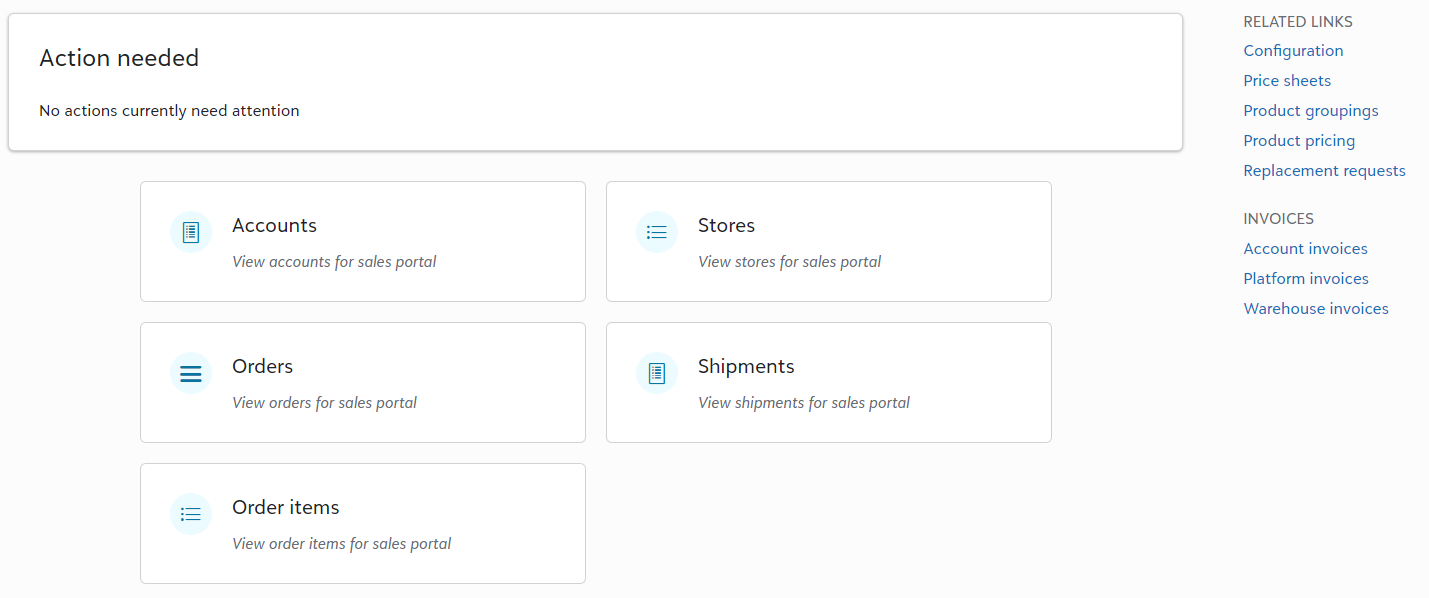
Action Needed: If there is action required on your part for the order to move forward, it will show here. This would be things such as;
- Product sourcing issue
If the integration is unable to source an item, you have the option to communicate with your customer and either cancel, or swap the item. - Replacement request
Learn more about replacement requests here!
Accounts: This is where you would go to add your customer's information prior to creating a white-label store.
Stores: Once you have established an account for your customer, you are now able to build or connect stores for them. This is where you will go to manage stores. This could be Fulfill Engine's White-Label store solution, Shopify, or Order My Gear.
Each account is not limited the amount of stores they can have - sky is the limit!
Orders: You are able to view all submitted orders. This is also where you are able to easily pull reporting on orders submitted within a certain timeframe.
Shipments: This is where you would view all shipping forms. A shipping form would be all order items, within a single order, shipping to a single address.
Order items: These are the individual variances that make up an order. This is a great place to pull reporting on top products or gain insight of how much of your volume is a specific decoration method.
Related Links and Invoices
On the right hand side of your sales portal, you will see quick reference links. This includes
- Account invoices
These are invoices owed to you on an account level and are not tied to White-Label stores. Examples would be account is on terms and using Order Now or Orders coming outside of Fulfill Engine (API, Shopify, etc). - Gift balances
This provides a view of all gift codes issued across all stores within your Sales Portal. - Network orders
Valid for Decorator Pro with a hybrid model of in-house and Network production. - Network pricing
Your cost to the Network for production. - Network products
What products the Network supports and costs. View the full catalog here. - Price Sheets
What you are charging your accounts. - Product groupings
Limiting what products an account has access to. - Product pricing
Your cost of blanks as it relates to what you are charging accounts.
Product pricing is displayed based on general supplier fed data. it does not reflect your true cost, however you have the option to override the price reflected. - Public product catalog
A catalog you can share with your accounts with your branding! It is generated base on the items you can support based on your set-up and configuration. - Replacement requests
View of all replacement requested tied to orders within your Sales Portal. facility does not support.