Fulfill Engine's integration with QuickBooks is specific to Account invoices. These would be orders coming from Shopify, Order Now, Order Desk, or API.
The QuickBooks integration is not currently available for White-Label stores.
Easily connect QuickBooks to your Fulfill Engine Account under Configuration > Quickbooks > Connect Quickbooks integration. This will take you directly from Fulfill Engine to QuickBooks to login to your account with them.
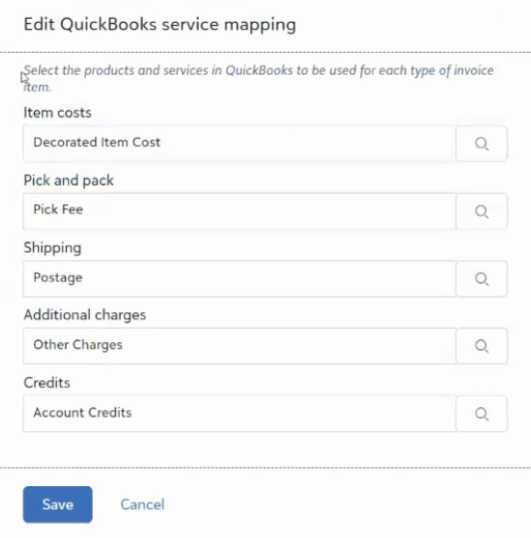
Once you confirm your login credentials, you will be prompted back to Fulfill Engine to set up Product and services.

Fulfill Engine's integration offers a preset list of products and services for you to select the correlating charge in QuickBooks.
You will view all Account invoices within your Sales Portal on the right hand side under Related Links.
Once QuickBooks has been connected, the invoices within Fulfill Engine will show a quick link to the right of the invoice id to direct you to that invoice in QuickBooks.
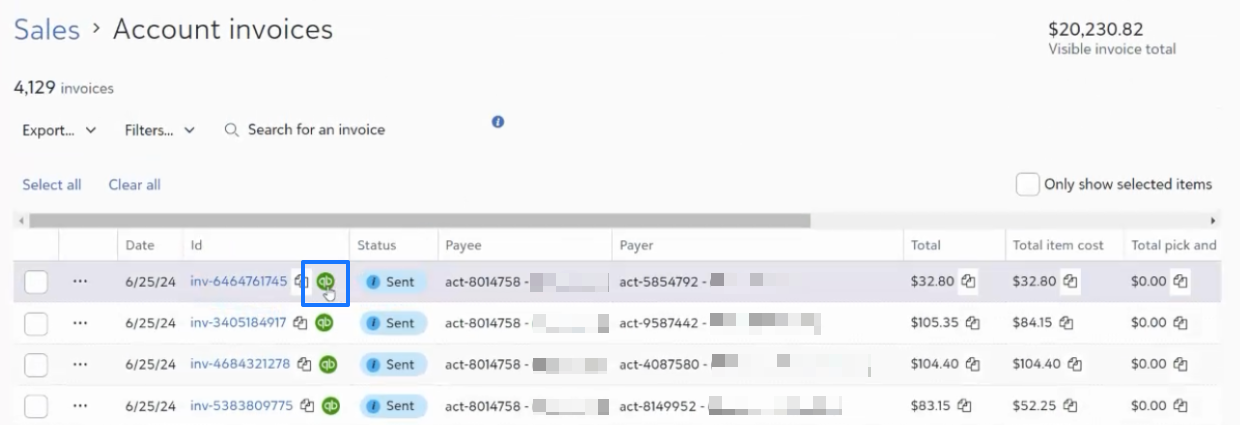
The status will automatically show as Sent. If you wish to close out the invoice within Fulfill Engine, from the dropdown to the left of the invoiced line item, you will need to select Set as paid.
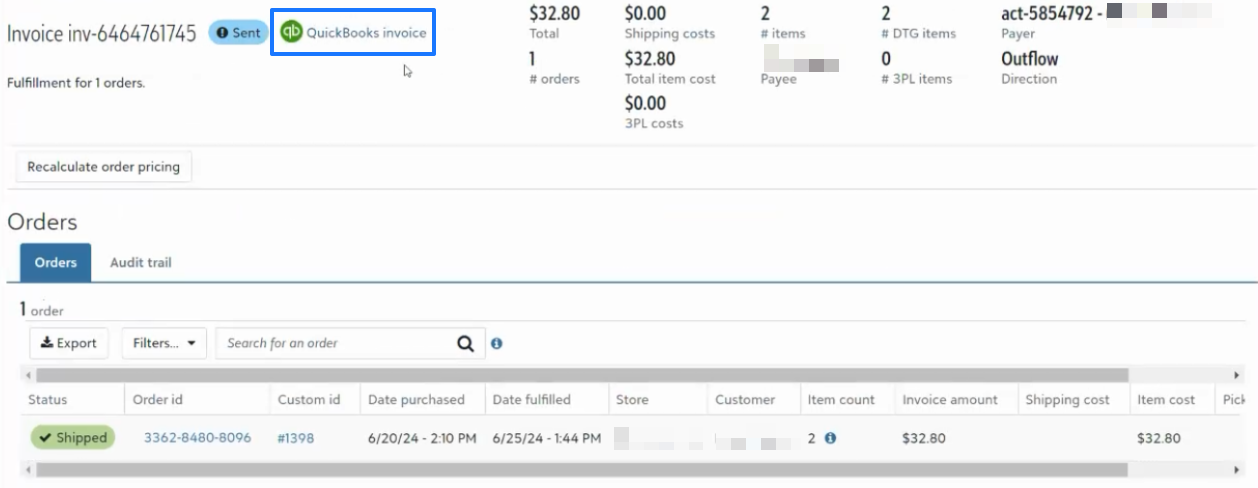
In addition to the Account invoice view, when selecting an invoice within Fulfill Engine you will have the same quick link to QuickBooks. This will correspond to the daily or weekly invoices generated.