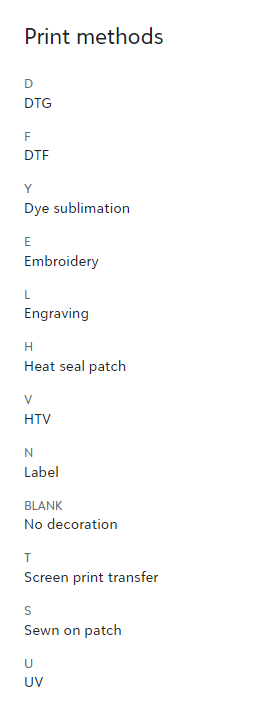
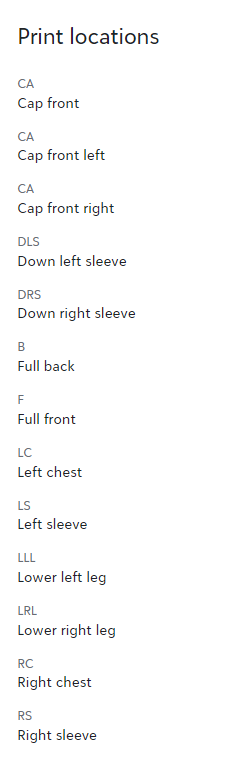
Fulfill Engine's proprietary software automates production with the use of a QR coded system. When blanks arrive, either from an on-demand supplier or pulled from in-house inventory, they will first be received into production under your Fulfillment tab > Receive purchase order. This is where the system will print the QR sticker(s) which are unique to each product.
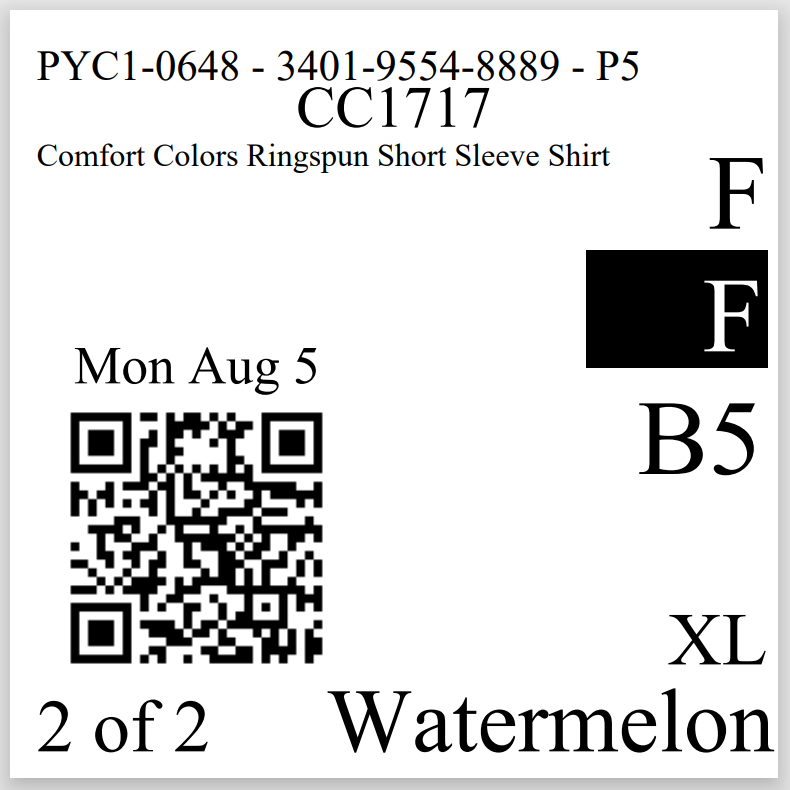
The top the QR sticker will show the batch number, shipment ID, and if your subscription supports the feature, the turn time (P5 meaning priority 5 day in the above example).
Under that, you will see the supplier SKU number as well as a confirmation of the product. The remainder of the product details, including size and color, are shown larger at the bottom right corner of the sticker. This allows for easy confirmation of the blank good within production.
On the left hand side, you will find the QR code that will be scanned at each station. It holds all the details regarding that product including the mockup, print ready art, as well as the shipping address and method.
Above the QR code, you will find the ship date and below it you will see how many products are within the order. If there is more then one piece, completed parts will be held in bins at shipping before all being scanned out to generate a shipping label.
On the right hand side the system we show a code for the decoration method, placement (in a black box), and if the item is DTF it will also show a correlating film ID.