Although inventory is pulled live from the suppliers, there could be times when an item shows available at the time of purchase, but is not in-stock when the automation attempts to order.
You will view Product sourcing issues within your Sales Portal under Action needed.

Your policy on product sourcing issues is completely up to you! Let's walk-through the options.
Substitute
Allow your customer to move forward with the order using a comparable item, alternative color, or different size.
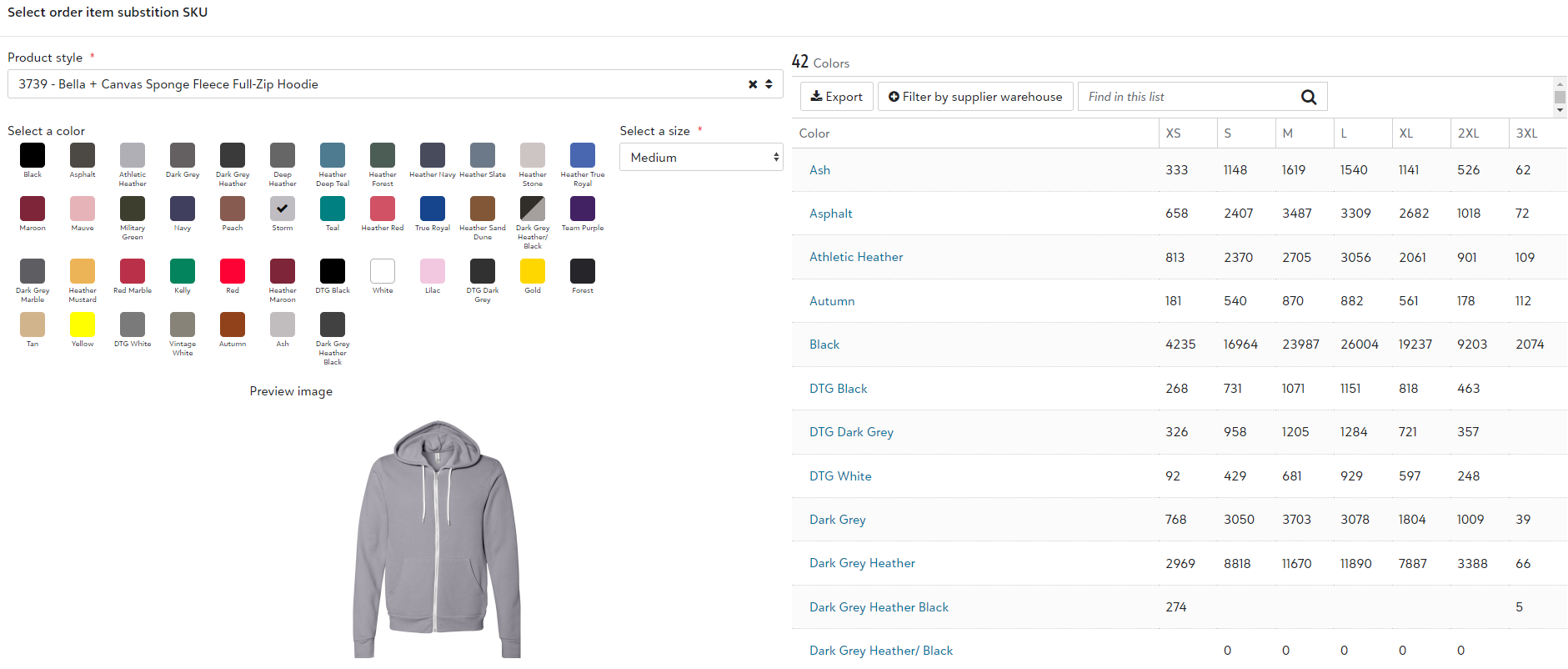
From the item dropdown, you will select Set substitution SKU which will prompt you to select a replacement item while viewing available inventory. Once approved, the item will go into a batch to be ordered!
Cancel and refund
In the event you wish to cancel and refund the order you are able to do so by going into the Order id. There is a quick link to the Order id within the line item for the specific sourcing issue.
Once they are within that order, they will see a "Tasks" dropdown option under the shipping address on the left hand side of the screen which will allow you to "Cancel and refund."
Source from another vendor (Decorator Pro)
If decorating in-house, if the item is available through another source, ie another vendor or an existing vendor via dropship, you have the option to manually source.
You will first need to list who that vendor will be by selecting Set to order externally and then inputting who that supplier will be.
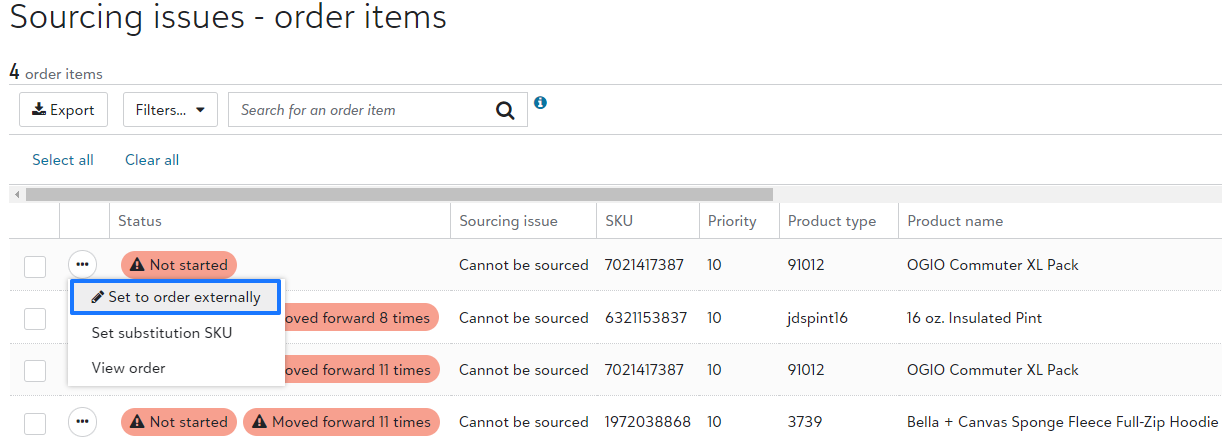
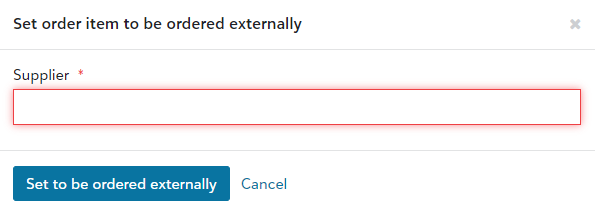
By doing this, you are telling the system that the item will arrive to production outside of the automation. This does mean that you will now need to manually source the item.
One you have set the item as "ordered externally," the item will go into the daily batch. Your warehouse team will be able to manually source the item once the daily batch closes.
This action will show under Action Needed within your Sales Portal.
When manually ordering, use the system Purchase order id, for the receiving team to receive the items into production just as they would if they are manually ordered!