When you create a new store, there will be a default product grouping for all items where the decoration method is supported by your warehouse.
However, if you are allowing accounts to build their own white-label stores, there might be times when you want to show them a filtered catalog view.
For example, if setting up an account who works with construction firms, you would want durable and high visibility apparel front and center, instead of overwhelming them with options of youth apparel. That is when you would build a product grouping!
Building a Product Grouping
From your Sales Portal, select Product groupings located on the right hand side.
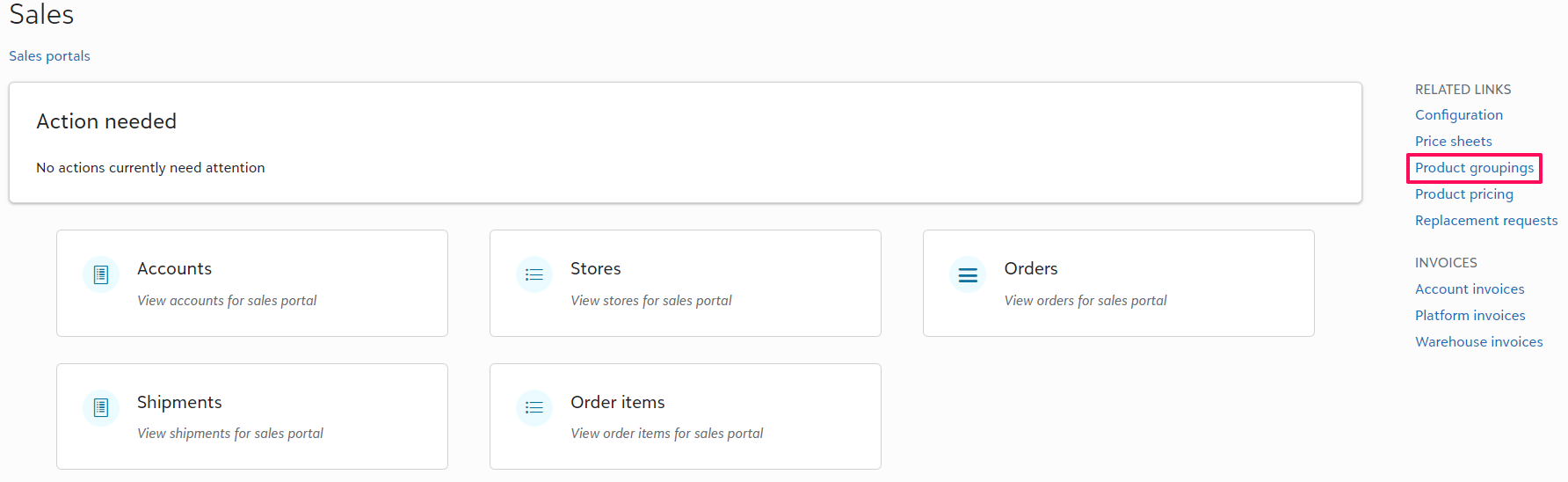
From here you will +Add a new product grouping, name that grouping > Add product grouping. From here, you are able to +Add products filtering by a key word (tag) or by the specific product ID.
Filtering Product Groupings by Account
From Product groupings, you are able to set whether or not each product grouping should be available to accounts by default.
To override a default product grouping for a specific account, you will go to the Account page from your Sales Portal > Tasks > Set product grouping.
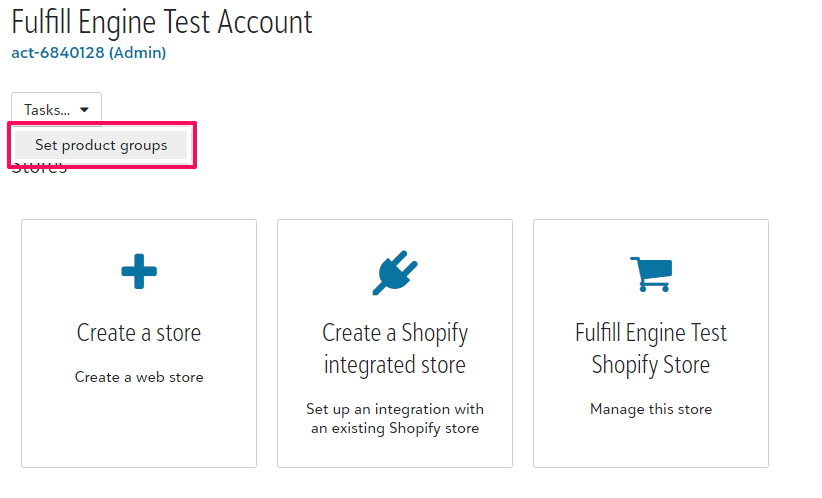
From here, you are able to override the default product grouping behavior the specific account!