Sales
New on-demand products through Koozie Group
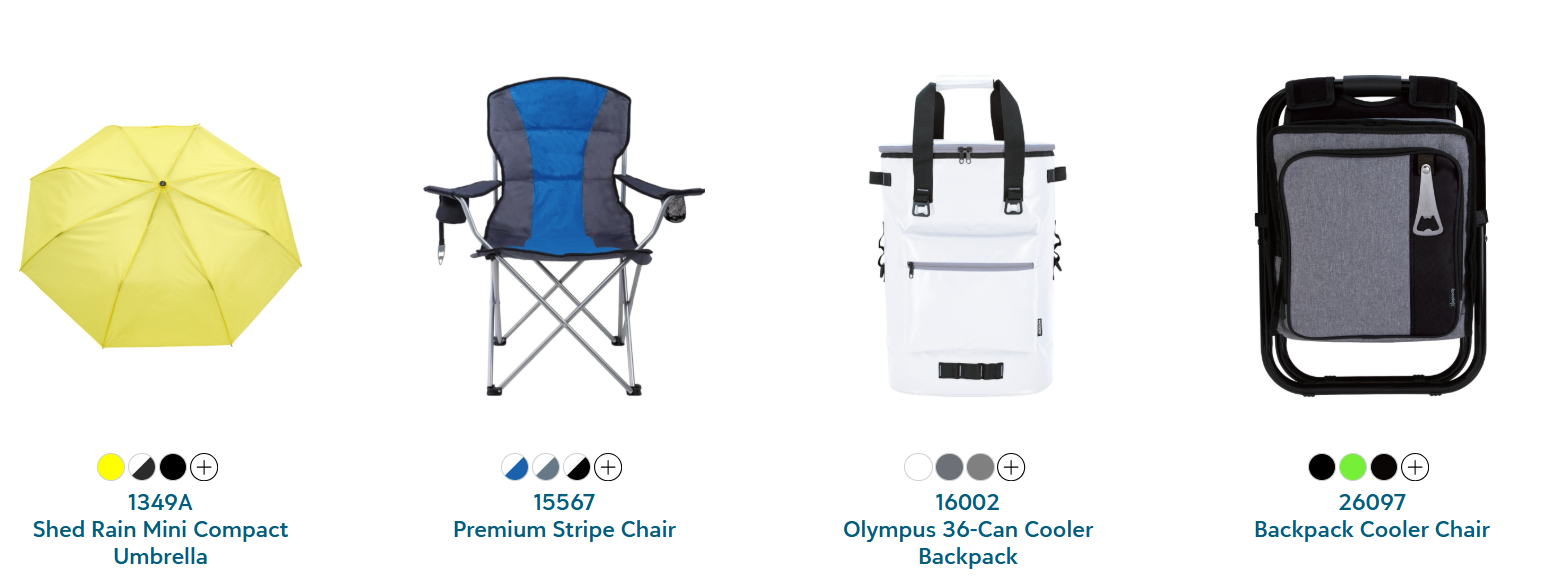
Offer your customers branded chairs, coolers, umbrellas and more through Koozie Group, a world-class supplier of top promotional products.
Access 11 Koozie Group products including chairs, coolers, and umbrellas in our Fulfill Engine Network product catalog today, with more items coming soon. Koozie Group products are available via fulfilled directly by Koozie Group, with more items coming soon. To find these new products, search 'Koozie Group'.
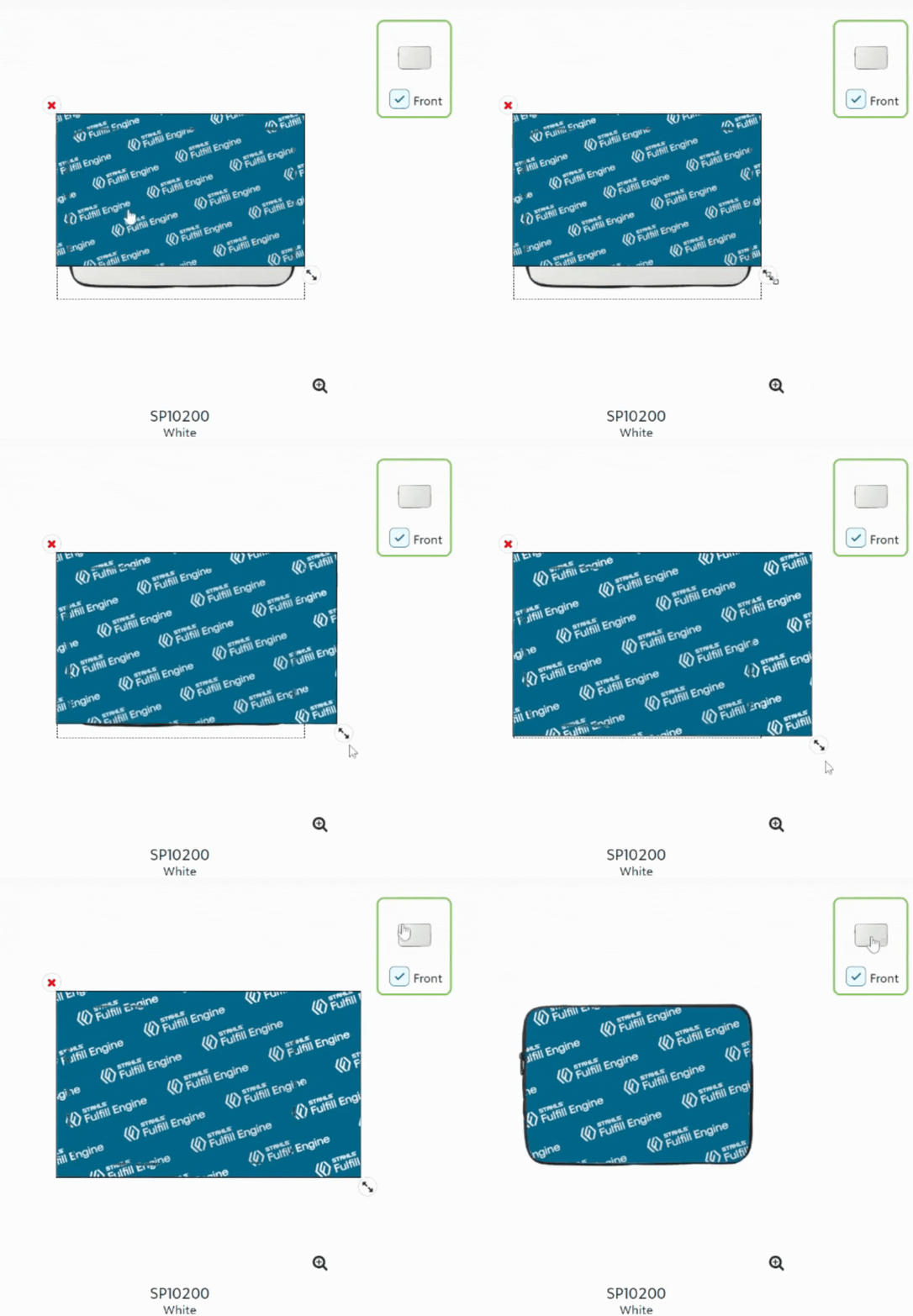
Expand and crop artwork to fill print locations
Expand your artwork beyond the print location on products like blankets, desk mats, and laptop sleeves. The artwork will automatically crop to fit within the print location's height and width dimensions, saving you from the hassle of uploading an image with the exact aspect ratio.
.gif)
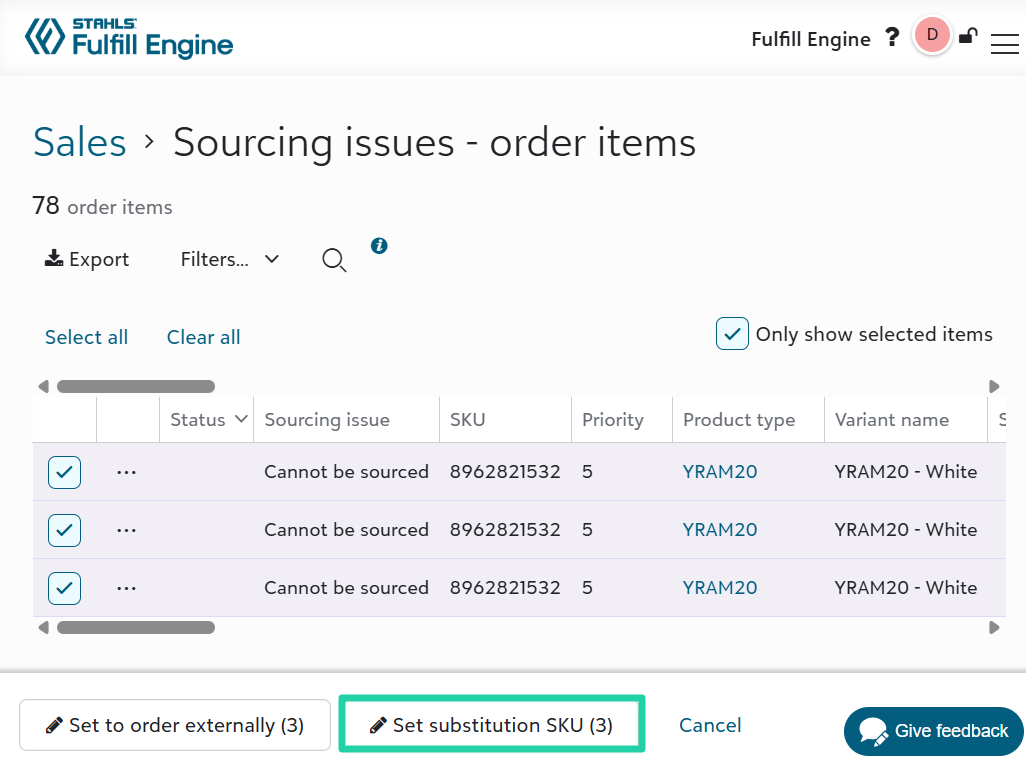
Set substitution SKU in bulk for sourcing issues
Sales admins can select multiple rows on the Sourcing issues - order items list and click Set substitution SKU to substitute items in one task.
View order item details for stores set to hide pricing
Users who place an order on a store configured for Charge to organization (hide pricing) can view the product name and quantity in the Order summary section of the checkout flow and order confirmation email. Users will not see the prices charged to the organization.
View gift balances
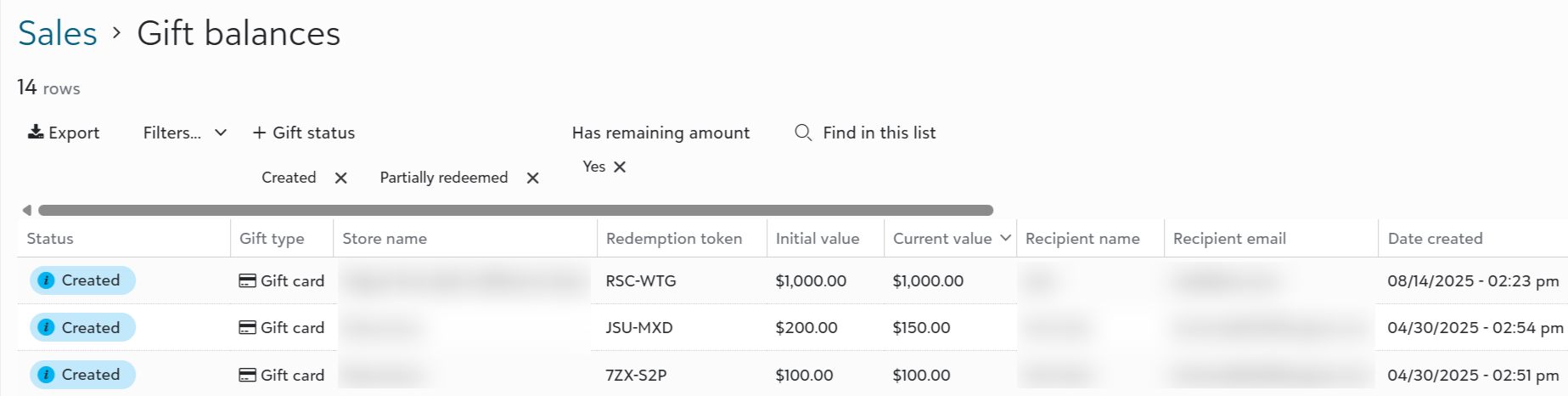
Sales admins can view a new list of gift balances across all stores in their sales portal, to better understand their potential liability with unredeemed gifts.
To access, click Gift balances in the Related links section on Sales.
Edit more gift details
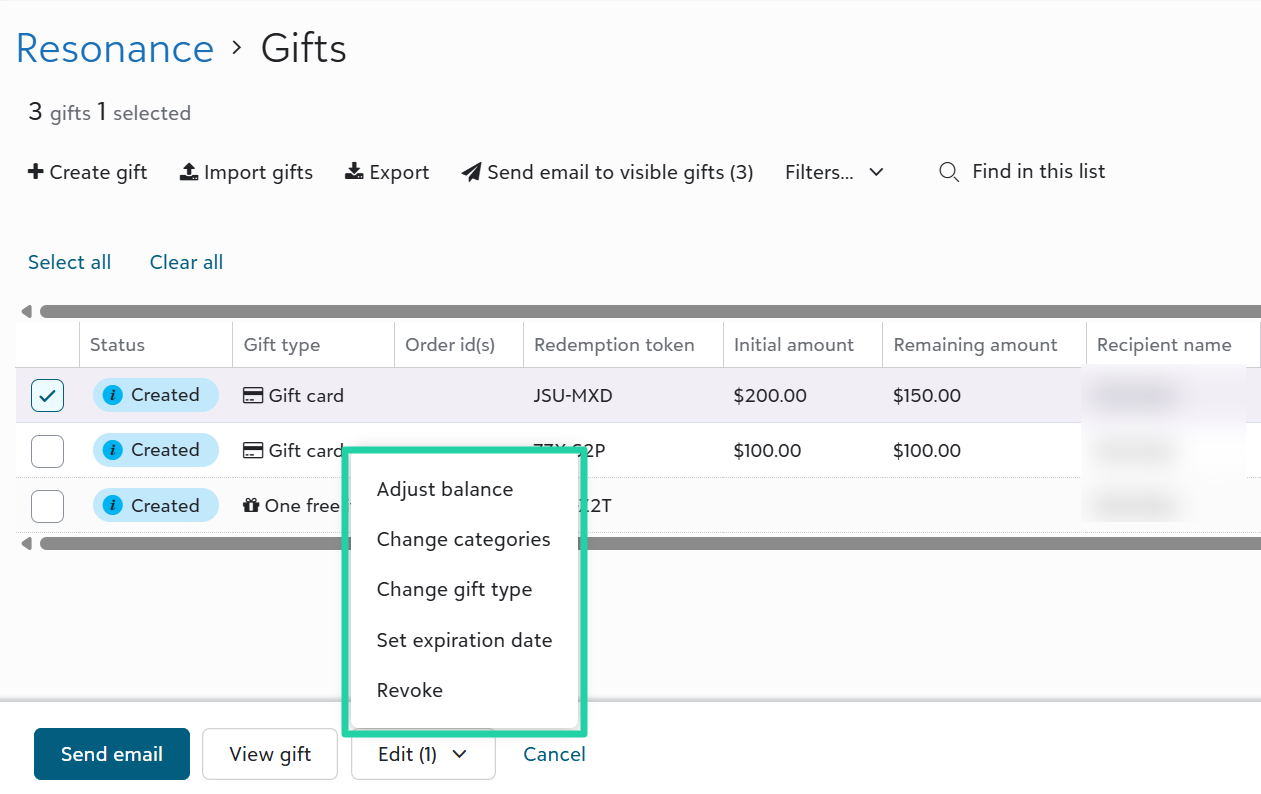
Edit a gift's key details, including the balance, categories, gift type, and expiration date.
To manage gift details, click the Gifts tile on the store, select one or more gifts in the list, then click Edit.
Fulfillment
Set supplier warehouse priority
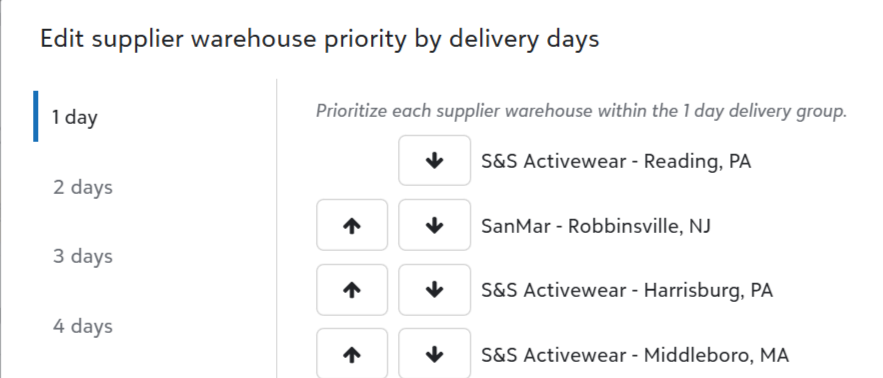
Stack rank supplier warehouses within each estimated delivery day group to inform product sourcing rules during the batch process to create supplier POs.
Go to Configuration > Suppliers > Set supplier warehouse priority.
Set tracking for manually submitted purchase orders
Add one or multiple tracking numbers to purchase orders that were manually submitted outside of Fulfill Engine, allowing your team a consolidated view to track all incoming blank purchase orders.
On the purchase order page, click Tasks... > Set tracking numbers.

Prioritize neck label prints on DTF transfer jobs
Decorators producing on-demand DTF neck labels for order items will now see those transfer items prioritized in DTF transfer jobs. Neck label transfers associated with order items with no additional DTF transfers will receive first priority, followed by transfers for order items with a neck label and additional DTF print locations.
View and filter bulk decoration jobs by target ship date
View the Target ship date on bulk decoration job lists, including all screen printing station lists. Optionally filter by a target ship date range to focus on jobs due in a specific time period.
Kornit Apollo integration
Decorators with the Kornit Apollo DTG printer have a scan-to-print workflow with the Fulfill Engine DTG desktop app, including a mapping of FE catalog products to Apollo print settings.
Configure DTG print settings and platens
Decorators with ROQ NOW or Kornit printers (excluding Apollo) can go to Configuration > Print Settings & Platens to view and set print profiles and platen mappings. These settings are applied when the operator scans the Fulfill Engine QR code with the DTG printer app at the printer.
Embroidery app setting to disable palette tracking
For decorators who prefer not to update the Embroidery desktop app to indicate which threads are on each machine spool, we’ve added a Not tracked palette option. When set, the threads pane will not display and validation for unmapped threads will be suppressed. The app will still display the items threads to instruct the operator to set those threads manually.
New columns on un-receive events list - Supplier warehouse, Custom id
View supplier un-receive events - Never arrived, Damaged before arrival - by supplier warehouse location to give granular feedback to your supplier rep and assess if the issues are common in certain locations.
You can also see the order’s custom id on the list, to more easily match up to integrated platforms sending orders.
API and Integrations
Enforce unique custom order IDs via API
Integrated platforms can set an optional property - customIdIsUniqueKey - on the Create Order API endpoint to indicate that the order customId property must be unique. When set to true, Fulfill Engine will reject an order if the provided customId value already exists in the system.
Query warehouse shipments and order items via API
Decorators can use the new Query Warehouse Shipments and Query Warehouse Order Items endpoints to pull shipments and order items scoped to their warehouse.
Edit orders more easily via API
Integrated platforms can use the new PATCH Order API endpoint to edit one or a few properties on an order or related shipment(s).