Sales
Customization pricing updates
The following customization pricing updates are now in effect:
- Fulfill Engine no longer charges the Per customization price for each customization on a Network-fulfilled store product. Instead, you will be charged the per location price for the applicable decoration method. Embroidery customizations will be priced by stitch count.
- If you have the Per customization price set on an account's price sheet, it will no longer pass through to a fixed sales price store product. Any stores offering customization products with fixed sales prices should either increase product prices accordingly or use product-level customization fees instead. To learn more, click here.
Offer reversible jerseys and tanks
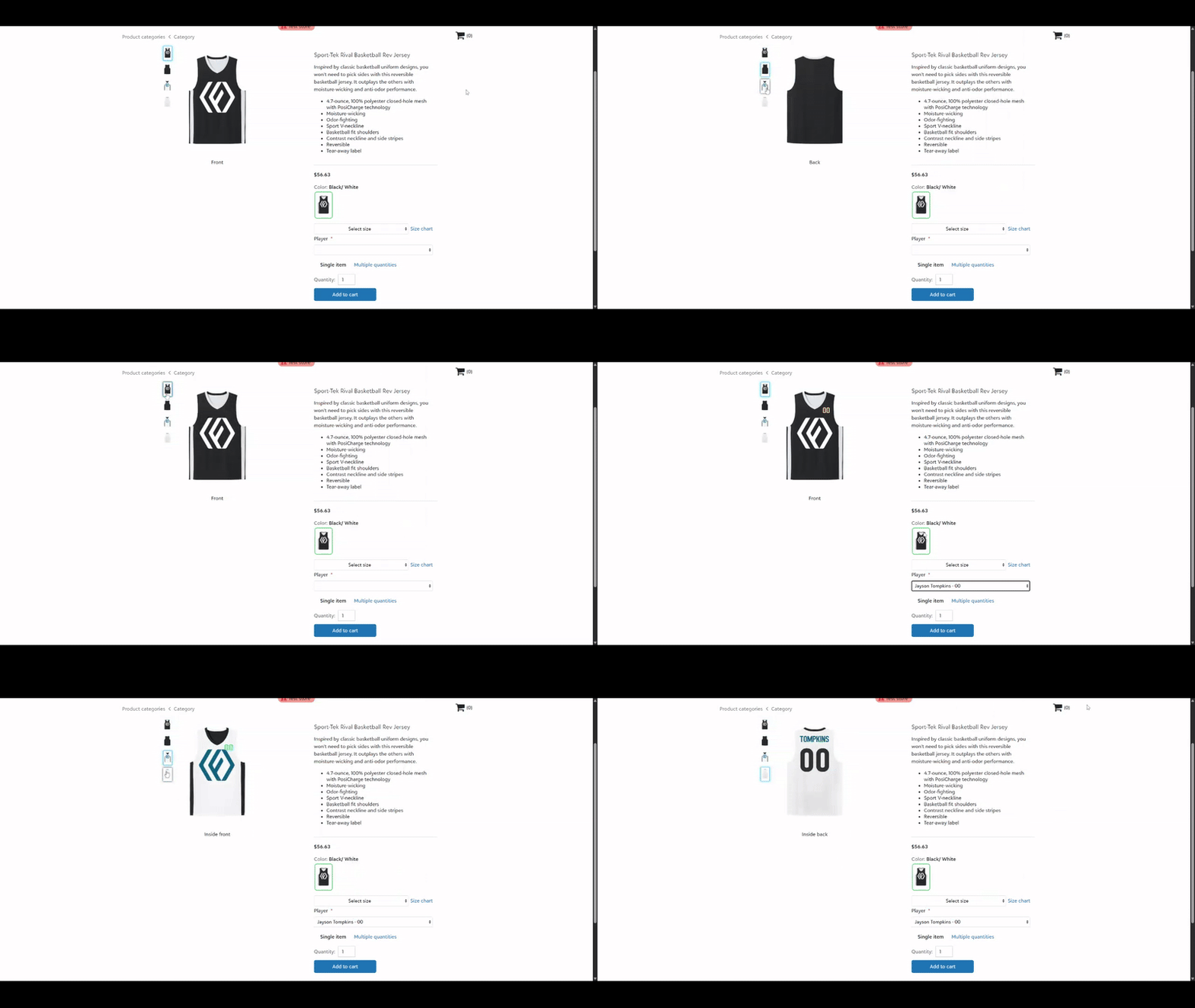
Choose from our growing selection of reversible catalog products that can be decorated on both the outside and inside. Pair with our roster customization features to instantly create two jerseys in one product.
Reversible products enabled for two-sided printing include:
161 | ST900 | LP001W | 560RY | 416900 | YST5000 | ST5000 | 560R | A4NF1270 | YST900 | A4N2206
New on-demand product category: plushies
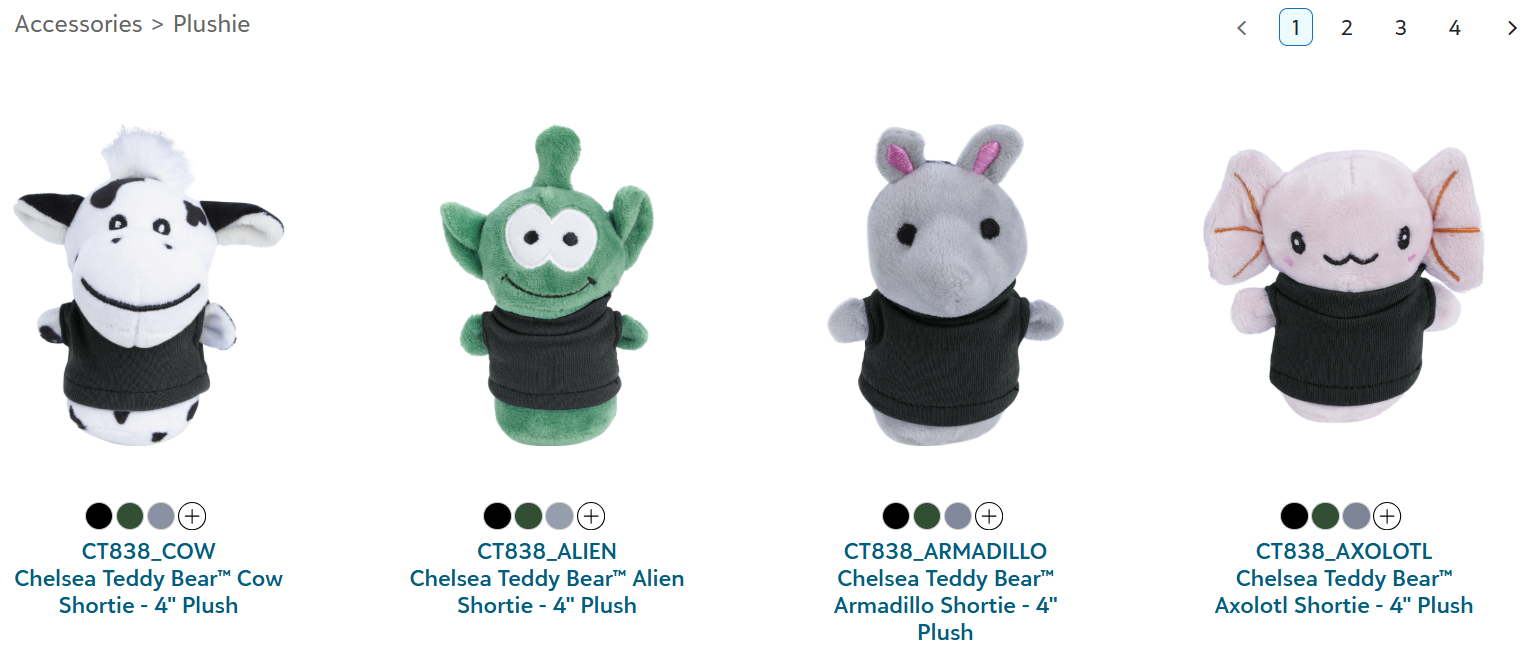
43 different styles of the 4" Chelsea Teddy Bear™ custom printed stuffed animals are now live for network fulfillment. These 4" plushies from Koozie Group are available for on-demand DTF decoration on 14 different t-shirt color options, with no minimums.
Plushies are a great addition to offer for schools, fundraisers, promotional giveaways, events, and more.
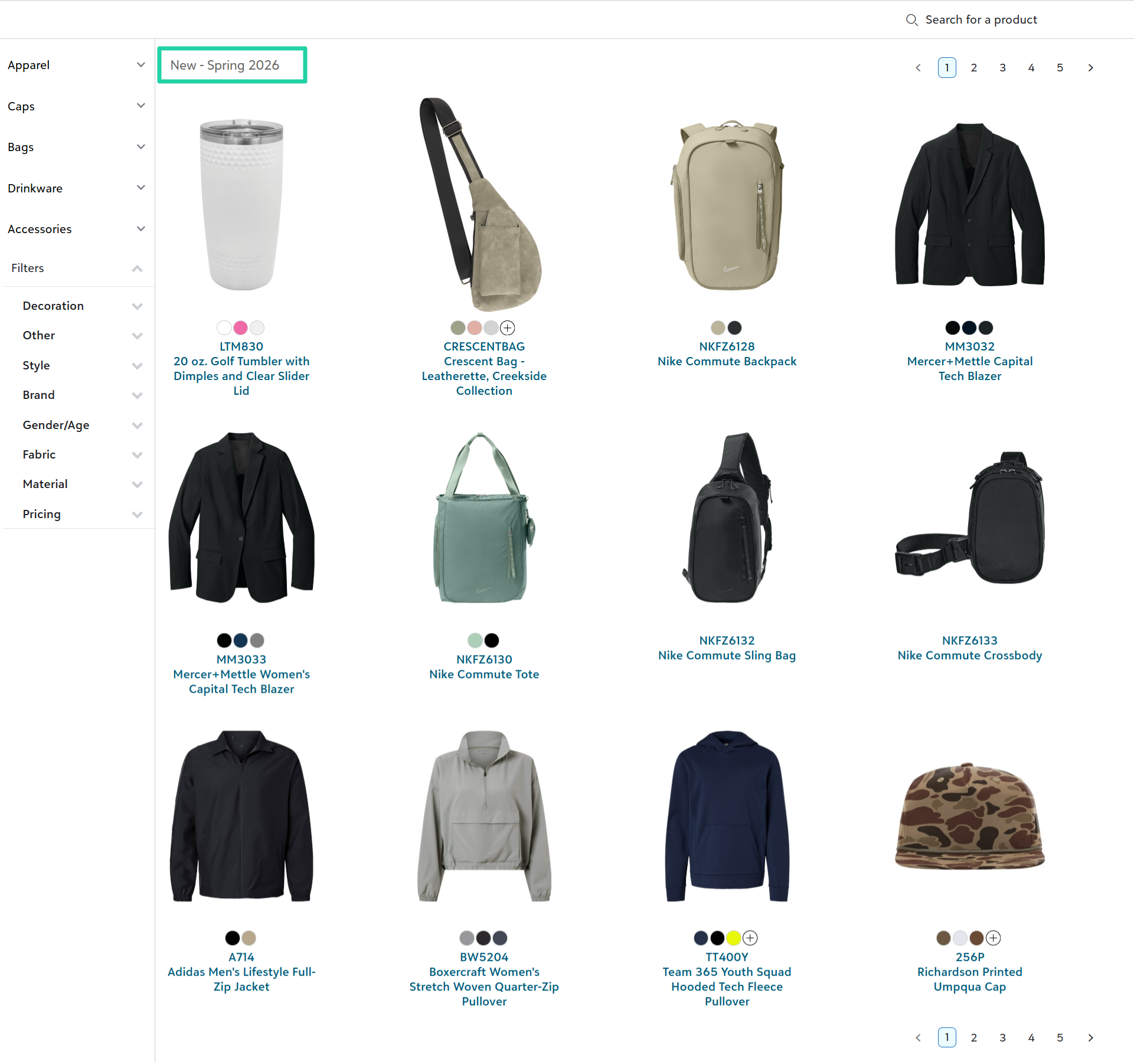
Discover new Spring 2026 catalog products
To view products we've recently added to the catalog, click here or select Other > New - Spring 2026 in the Filters section.
Connect to Shopify with new setup steps
We've revised the steps required to connect Fulfill Engine to a Shopify store, in accordance with a recent Shopify platform update.
To learn more, review our Integration Setup and Connection guides.
Sales tax calculation and reporting upgrades
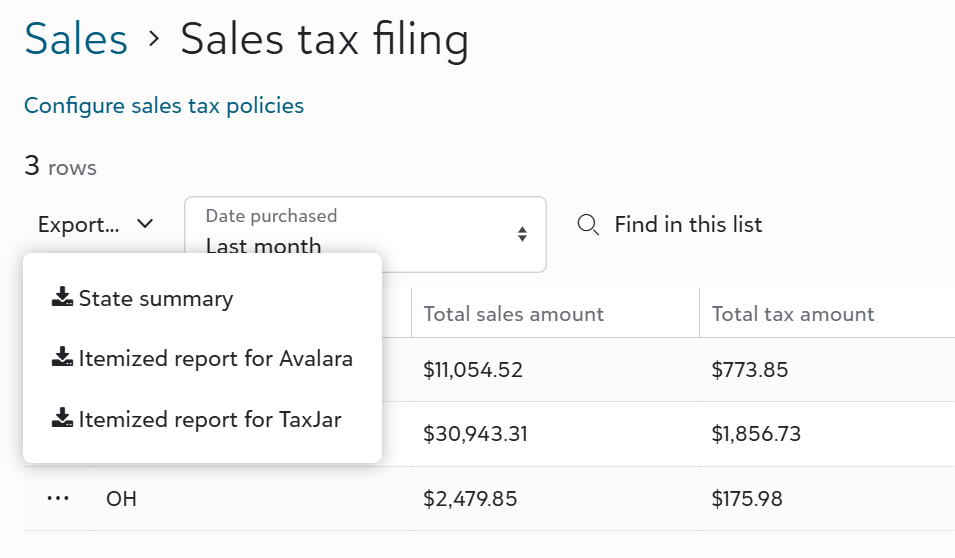
Powered by TaxJar, we've introduced more robust and detailed sales tax management tools for your white-label store and order portal transactions. Now you can collect and remit sales tax in your nexus states with greater confidence. These upgrades are an included service, at no additional cost to you.
New sales tax capabilities include:
-
TaxJar-powered sales tax calculations and collection on transactions in Fulfill Engine white-label stores and order portal.
-
Sales tax calculations and reporting at the state, county, city, and special district levels.
-
Sales tax reporting at the summary, order, and item levels, including item-level transactions export files matching Avalara's and TaxJar's import templates for customers using either of those services for sales tax filings.
-
Order item-level sales tax exemptions, informed by tax codes assigned to Fulfill Engine catalog products (e.g., Apparel > T-shirts is assigned a 'Clothing' tax code).
Access more information in order and order item exports
We've added a few new columns to order and order item export files, for improved visibility and management of your orders:
- Source column in the sales exports for orders and order items.
- Store product categories column in the order items export.
- Image customization artwork details in the Order items with decoration details export.
View more details on account price sheet
For accounts configured to view their price sheet, users can view all relevant account cost details with the exception of markup percentages on shipping and all-in pricing products. With this improved view, account admins can better understand their overall costs and price their store products more effectively.
Fulfillment
New help video: In-house on-demand production guide
If you're new to our Fulfillment module, or if you want to confirm your team is following best practices, watch this 9-minute video for a step-by-step guide through the complete in-house production workflow.
View shipment notes on sourcing issues
Sales admins can now view shipment notes on the Sourcing issues page, to make it easier to communicate and identify which issues are resolved or being worked on by a team member.
Split sourcing between local and on-demand inventory
We’ve improved our batch sourcing process to pull all available local inventory for a given SKU into a warehouse inventory purchase order (PO), then proceed with creating one or more supplier POs for outstanding units.
For example, if your warehouse has 18 available units for a SKU and the batch includes 20, the batch will create a warehouse inventory PO for 18 units and a supplier PO for the remaining 2 units. Previously, the batch would create one or more supplier POs for all 20 units.
Receive prompts for canceled order items
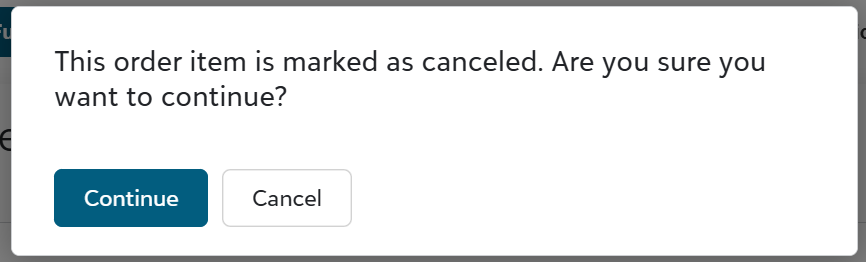
Warehouse team members will see a prompt if they scan a canceled order item at any of the fulfillment stations, including desktop apps. These prompts help prevent canceled items from unnecessarily proceeding through decoration and fulfillment.
STAHLS' UltraColorMAX® DTF carrier enhancement
For decorators ordering DTF transfers through STAHLS' and/or routing DTF order volume to Fulfill Engine Network, UltraColorMAX® now features a new proprietary DTF carrier developed by the STAHLS' materials team. This update is the result of long-term development and extensive testing and is designed to deliver even more consistent, premium results.
This new carrier offers:
-
More accurate, repeatable color
-
A softer, smoother hand
-
A cleaner, premium finish on every press
-
Better performance across cotton, fleece, and synthetics
Dangerous goods handling
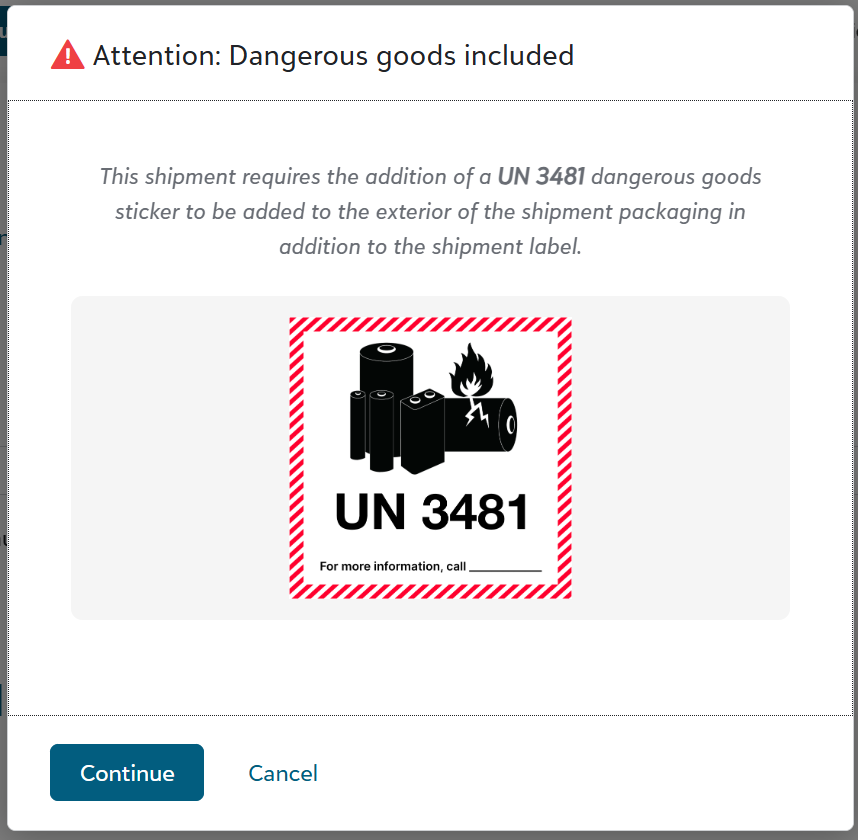
The system will automatically detect shipments that contain dangerous goods, generate a compliant shipping label, and prompt the shipping operator to add a dangerous goods sticker to the shipment packaging. To facilitate, products are tagged with the correct dangerous goods code (e.g., UN-3481) at the catalog level.
Flag to include weekends in target ship date calculation
For warehouses that operate on the weekends, we’ve added a backend configuration flag that will include weekend days when calculating target ship date for local orders.
To enable this mode, contact us at info@fulfillengine.com.
By default, the solution assumes that warehouses are closed on weekends.
Split orders between in-house and network fulfillment (Coming Soon)
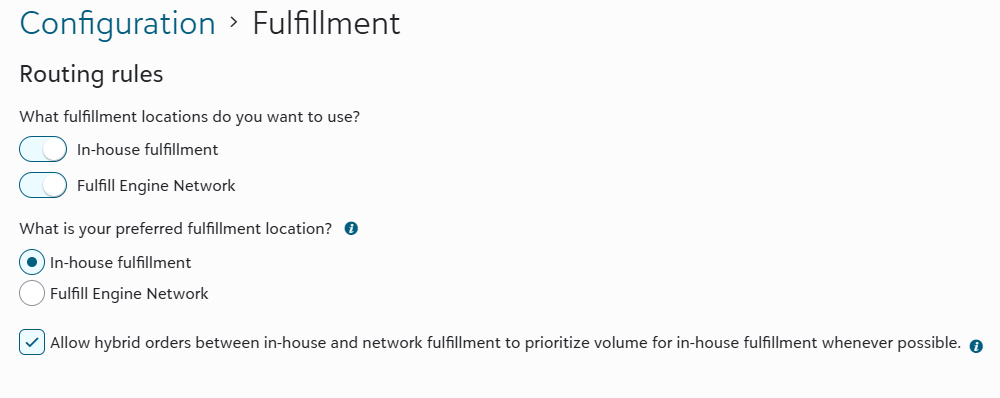
In early February, we will be releasing more flexibility and control for decorators who use both in-house fulfillment and Fulfill Engine Network in their fulfillment routing rules.
- If fulfillment routing rules are set to use both in-house fulfillment and Fulfill Engine Network and a multi-item order cannot be completely fulfilled in-house or via the network, then the order will split into multiple shipments across both locations. Your preferred fulfillment location will inform where order items route. Currently, this scenario results in a system error requiring manual intervention.
- If fulfillment routing rules are set to use both in-house fulfillment and Fulfill Engine Network, and in-house is the preferred location, you will have a new setting to allow hybrid orders between in-house and network fulfillment. When set, a multi-item order that cannot be completely fulfilled in-house will route all eligible items in-house before splitting the remaining items to network fulfillment. Currently, this scenario would result in the entire order routing to the network.
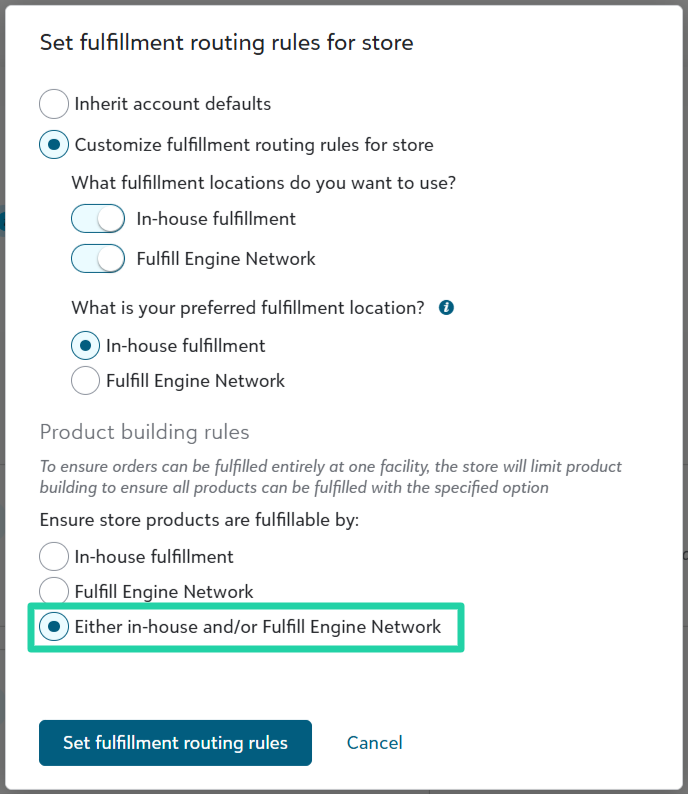
New store product building rule
In support of the hybrid fulfillment updates mentioned above, we’ve added a product building rule to allow store products that are fulfillable by either in-house or Fulfill Engine Network. This new setting allows store owners to create stores that include network-only products like Spoke Custom or Koozie Group items, or perhaps LIQUID 3D hats, alongside products you can fulfill in-house.