Sales
Register for sales tax exemption with STAHLS' Fulfill Engine
We will soon begin collecting sales tax in every state where STAHLS' Fulfill Engine is registered to do business. Where required, sales tax will be calculated unless a valid tax exemption certificate has been received. This will include your Fulfill Engine wallet charges, per-order platform invoices, and/or scheduled aggregate platform invoices.
To get started on the Sales tax exemptions page, you will complete and submit a form to confirm your business and contact information. After submitting the form, you will receive an email from CertificateManager@thomsonreuters.com with a link to upload your certificates via OneSource.
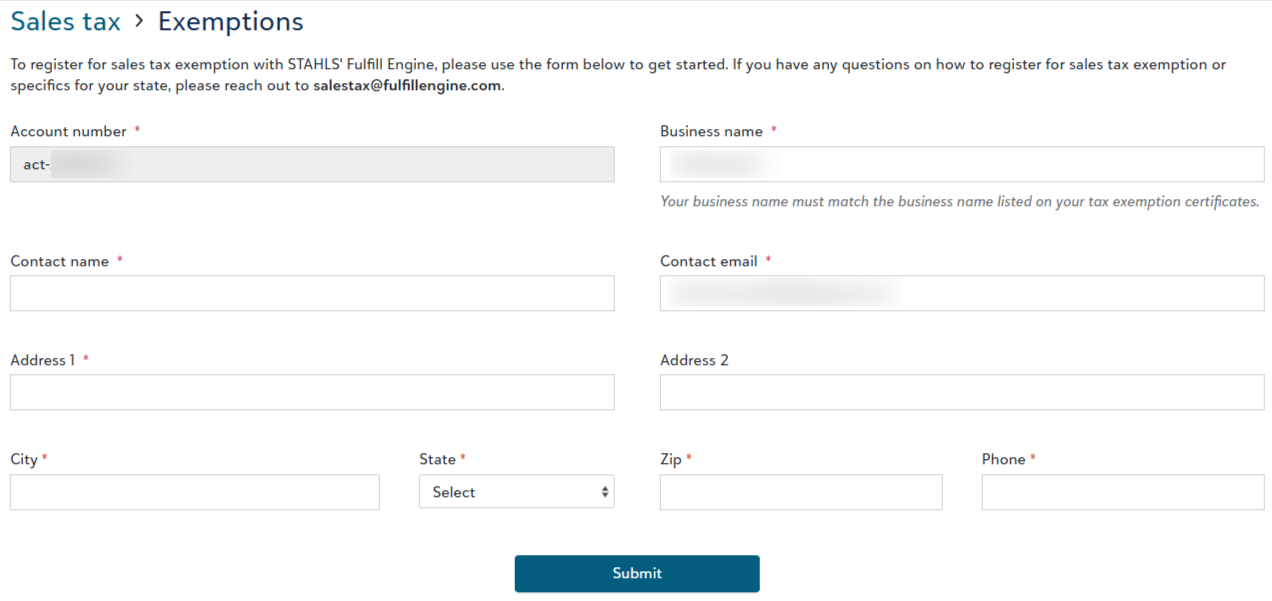
All submitted exemption certificates are subject to review and approval based on state and local laws. When your certificate has been approved, you will see the certificate listed on your Sales tax exemptions page.

Please note, STAHLS’ Fulfill Engine does not provide legal, tax or accounting advice. If required, please consult with a tax advisor.
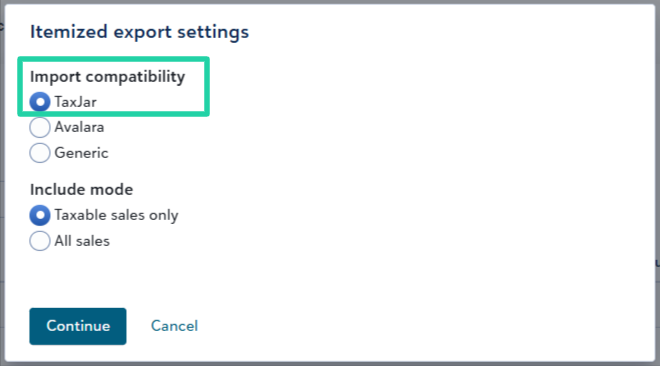
Import your sales tax itemized data into TaxJar more easily
For customers using TaxJar to manage your company's sales tax filings and remittance, we’ve made a few updates to our TaxJar export file format to make it easier to pass TaxJar's import validation rules.
To export itemized sales tax reports, go to Sales > Sales tax > Sales tax filing and click Export... > Itemized report.
To learn more about managing sales tax in your Fulfill Engine sales portal, click here.
Updated SanMar spec sheet URLs
SanMar recently updated the format for their spec sheet URLs. All SanMar-supplied Fulfill Engine catalog products now reference the new URL format. Other suppliers' spec sheet URLs were not impacted by this update.
Fulfillment
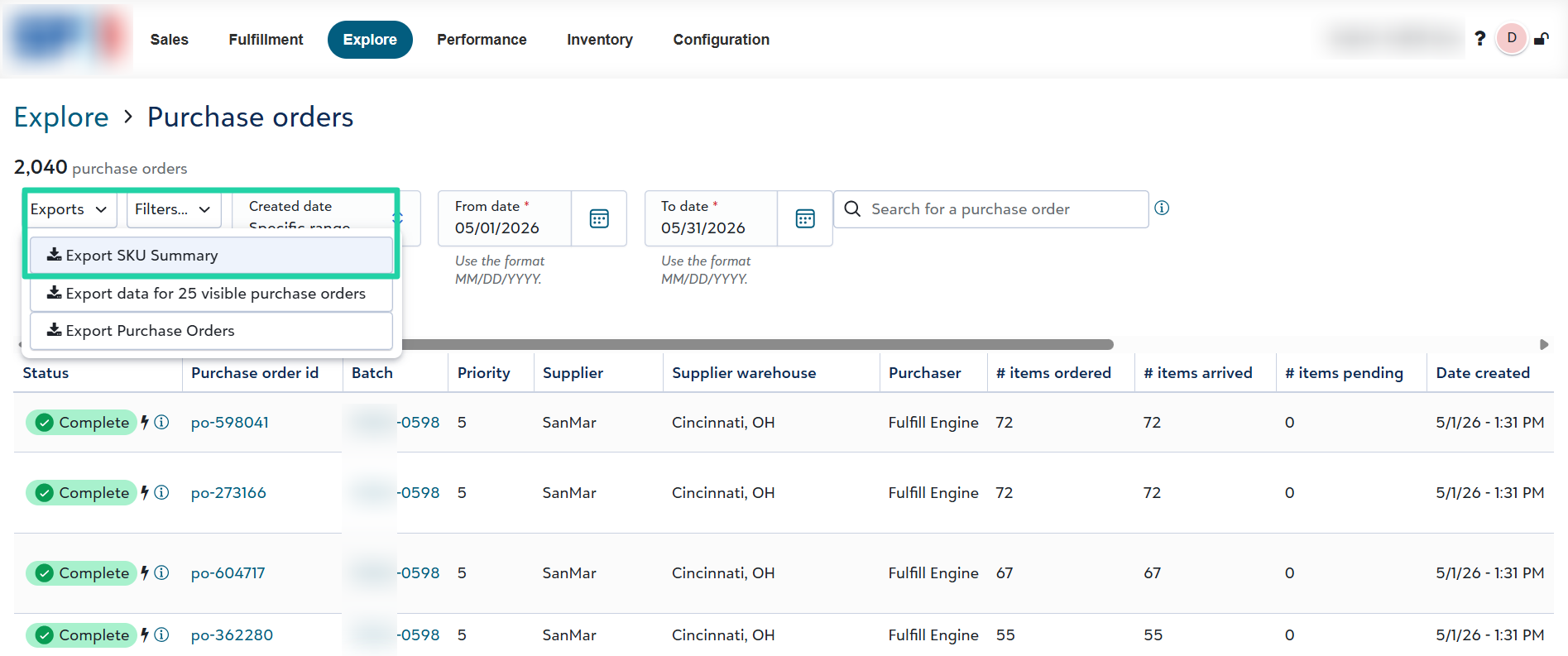
Export SKU summary across purchase orders
In March we introduced a new page to manage purchase orders across all batches - Explore > Purchase orders. Warehouse leaders can use a new export file on this page to download a summary of order volume by product SKU across a selection of purchase orders, to identify ordering patterns and potentially plan for stocking local inventory of top-selling SKUs.
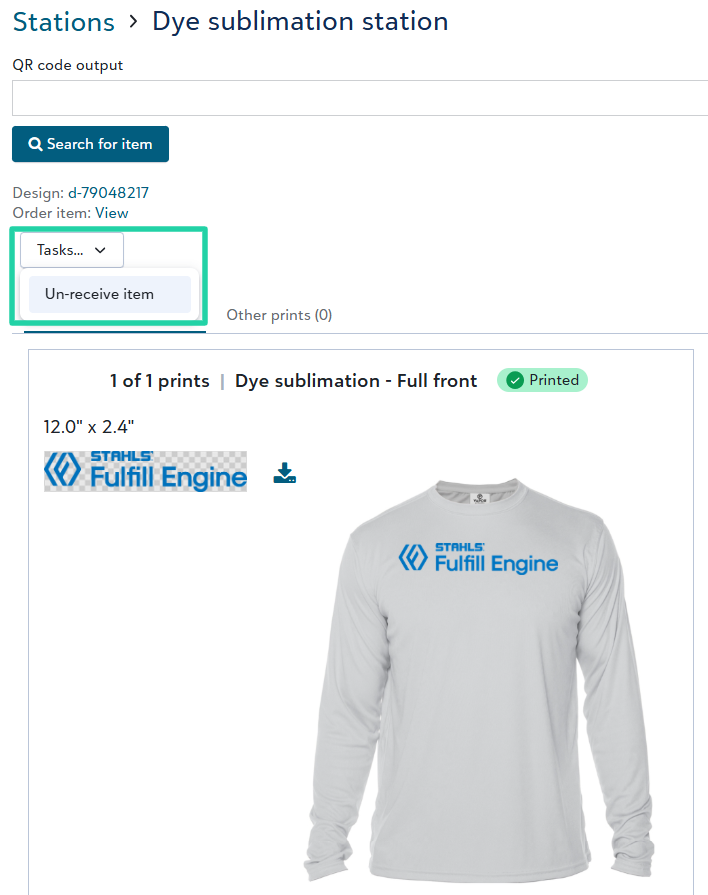
Un-receive item from decoration station pages
Users can access a new Un-receive item task from any of the decoration station pages to quickly un-receive the item after it's been scanned at a given station.
Edit an order’s shipping address, including split-shipment orders
We added support for editing an order's shipping address from the Sales view of the order, including orders split into multiple shipments. The user can open the sales order, click Tasks... > Edit address. The saved address edits will apply to all shipments on the order.
Improved quality check workflow (for early adopters -- coming soon)
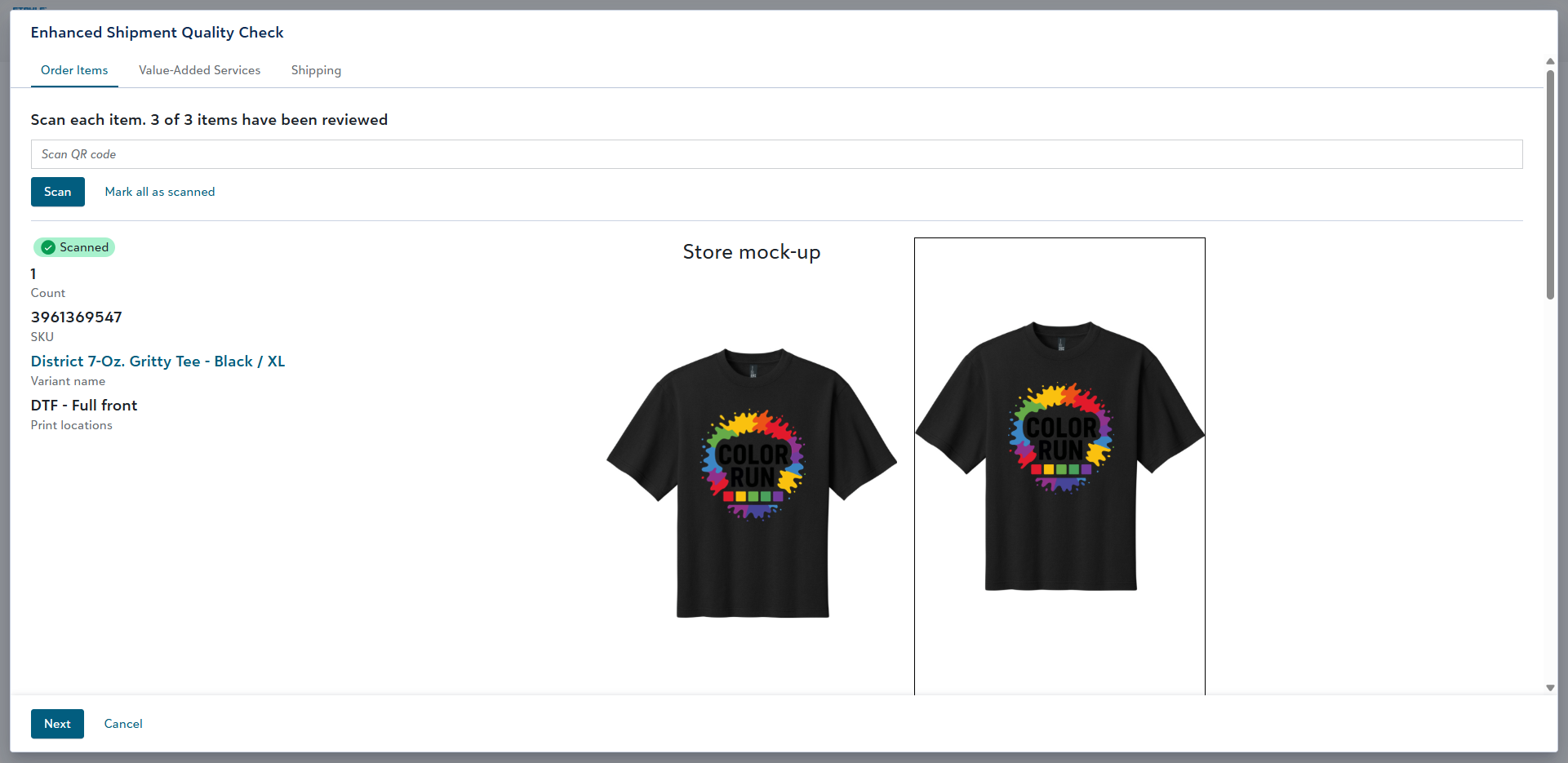
Currently in a closed Beta phase, participating decorators are using an improved quality check (QC) workflow featuring a multi-step wizard guiding QC/Shipping operators to confirm the shipment's
- order items
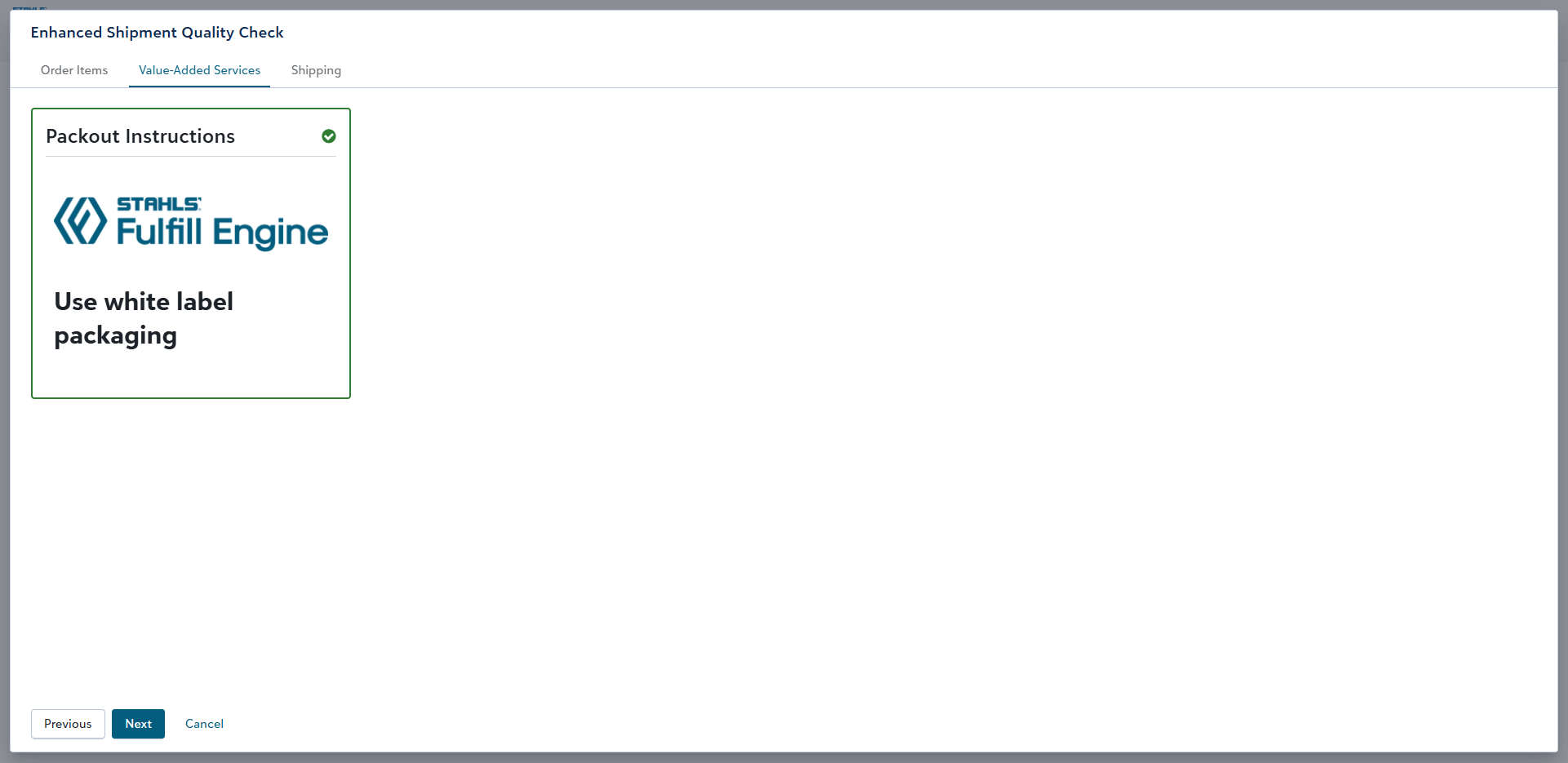
- value-added services (if applicable)
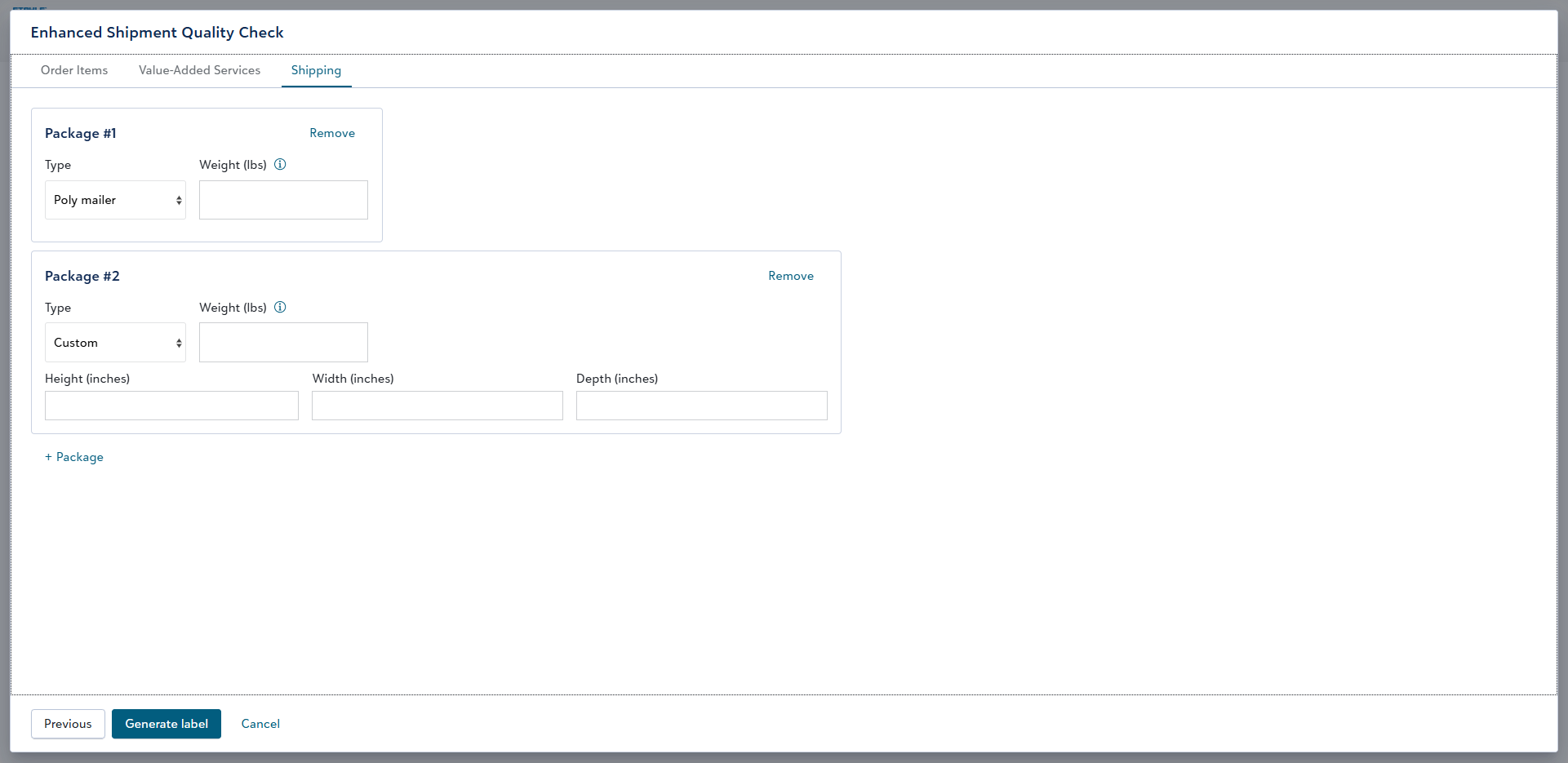
- shipping details
As the user proceeds through the process, they will be prompted to go to the next tab.
The Value-added services tab will display a card for any required value-added service (VAS) items such as packing slips, branded inserts, and packout instructions. VAS items must be manually confirmed by the user before proceeding to generate the shipping label on the final tab.
On the Shipping tab, the user configures the shipment's package count, type(s), weight(s), and dimensions before generating the shipping label(s). It defaults to a single poly mailer package. For single-package shipments, the weight will be auto-calculated based on the items if the user leaves the Weight field blank.
We intend to release this new QC workflow to customers in phases over the coming weeks. If interested in being an early adopter, please contact your account rep or info@fulfillengine.com.