Step 1: Access an Acccount
Open any account in the system.
Step 2: Enable Net Terms (Optional)
Before entering the order through Order Now, we recommend enabling Net Terms .
Why this helps:
• The system assumes the customer will pay at checkout.
• Since sample orders are typically for internal or pre‑production use, enabling Net Terms:
○ Skips the payment step at checkout
○ Prevents the need to make multiple payments
Once Net Terms are enabled, continue to Order Now.
Step 3: Open Order Now

• Click Order Now from within the account.
Step 4: Choose Your Sample Type
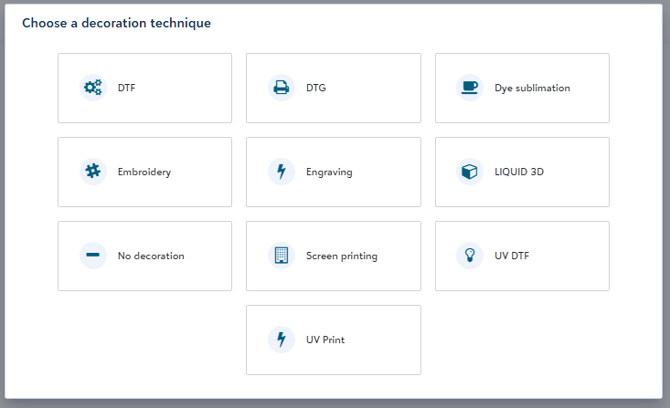
• Select the type of sample you’d like to order
Step 5: Customize Your Sample
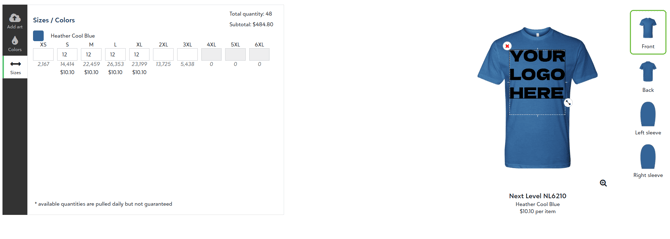
Configure your sample by choosing:
• Garment
• Artwork
• Garment Color
• Size
You’ll see the price automatically update based on the pricing worksheet assigned to the account.
Step 6: Add to Cart
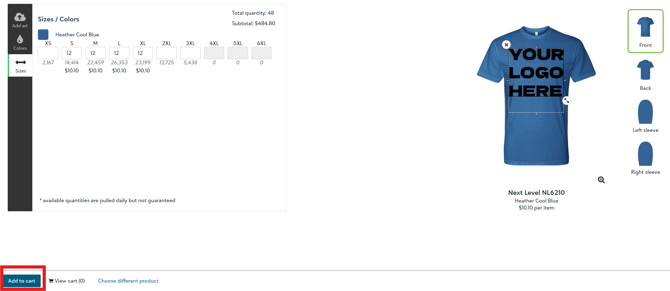 • Review your selections
• Click Add to Cart
Step 7: Review Your Cart
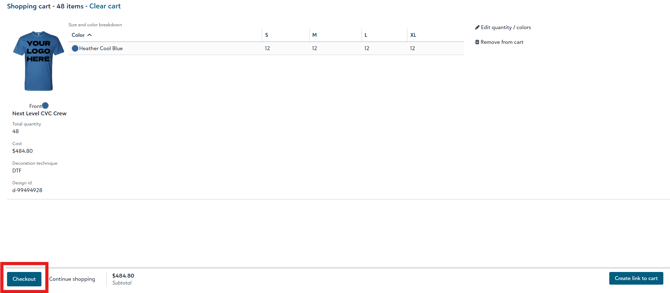
• Open View Cart
• Remove any extra items so only your sample remains
• Once everything looks correct, click Checkout
Step 8: Enter Shipping Information
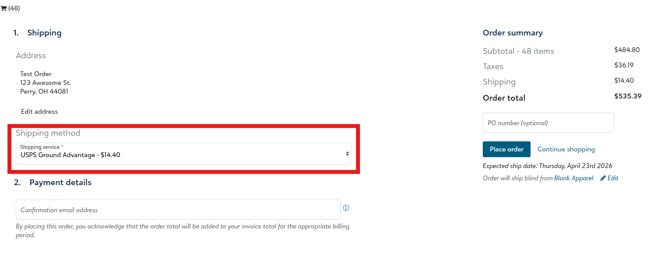
• Select where you’d like the sample shipped
○ Many customers choose a home or office address for sample orders
• Choose your preferred shipping method
Step 9: Send Order Details
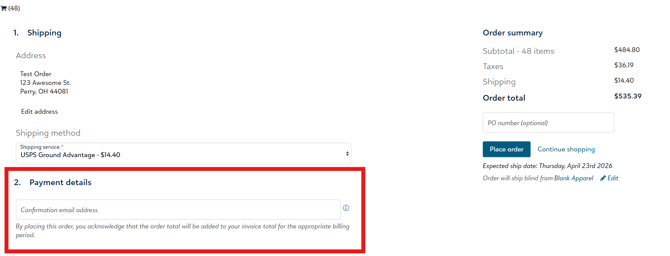
• Send the order information email to yourself or your designated order contact.
Step 10: Review & Submit
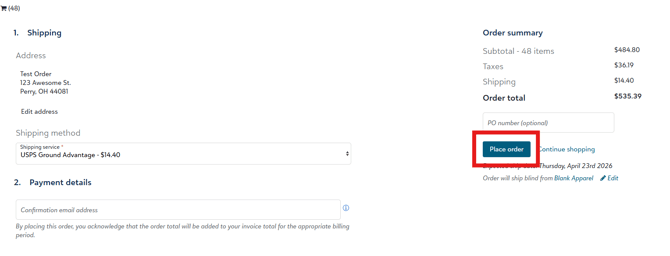
• Review the expected ship date, shown during checkout and in the order summary
• Submit your order
✅ Once submitted:
• Your order is sent to fulfillment
If you are sending to the Fulfill Engine Network, we will charge the cost of production from the Fulfill Engine Wallet at the time of order submission.
Questions?
If you have any questions while placing your sample order, don’t hesitate to reach out to info@fulfillengine.com — we’re happy to help!