The Hold Fulfillment is a feature that pauses on-demand orders from entering automated fulfillment until a specified future date. This is commonly used for events, allowing stores to collect and manage incoming orders ahead of time while delaying production until closer to the event date.
It’s important to note that this feature does not support consolidating or batching orders for shipment to a single address—each order is still processed and shipped individually once the hold is released.
On the store level, as an administrator you will have access to the feature Hold fulfillment until.. under the store's Task dropdown.
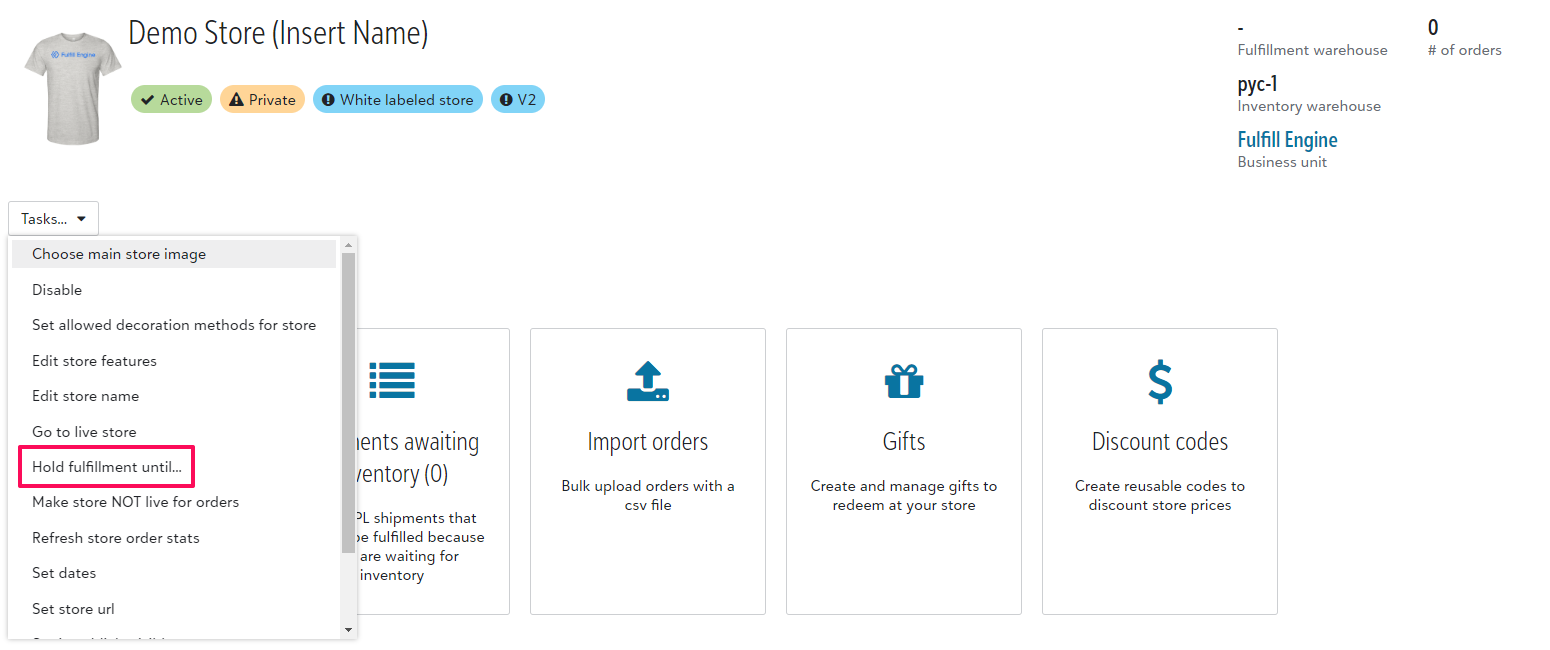
Once you input and save the hold date, any new orders will be held.
Any orders submitted prior that are in an open batch, will automatically update to reflect the hold date. Any orders already in production will not.
You also have the option to alter that hold date at any point in time up until it is the selected date and orders have been processed.